Your website loads slowly, users click away, and search rankings suffer. Unoptimised images are often the culprit, bloating page sizes and frustrating visitors. This guide delivers practical image optimisation strategies specifically for small to medium-sized business owners who want faster websites, better user experience, and improved online visibility. You’ll learn how to prepare, execute, and verify effective image optimisation that transforms your website’s performance without sacrificing visual quality.
Table of Contents
- Key takeaways
- Understanding image optimisation and preparation
- Step-by-step guide to optimising images for your website
- Common mistakes and troubleshooting image optimisation issues
- Measuring and verifying the impact of your image optimisation
- Enhance your website’s performance with professional web design and SEO services
- Frequently asked questions
Key Takeaways
| Point | Details |
|---|---|
| Modern formats cut sizes | WebP and AVIF can deliver 25 to 50 per cent smaller file sizes than JPEG or PNG while preserving quality, with fallbacks for older browsers. |
| Explicit dimensions prevent layout shifts | Add width and height attributes or use aspect ratio CSS to stabilise page layout and improve perceived performance. |
| Prioritise hero images | Compress hero and LCP images aggressively by targeting under 200 to 250 kilobytes, avoid lazy loading them, and use AVIF or WebP formats. |
| Measure with PageSpeed Insights | Use PageSpeed Insights to quantify load times and LCP improvements and verify the real impact of optimisation. |
Understanding image optimisation and preparation
Image optimisation means reducing file sizes whilst maintaining acceptable visual quality for web delivery. This process directly impacts loading speed, user experience, and search engine rankings. When your website loads faster, visitors stay longer, engage more, and convert at higher rates. Search engines reward fast-loading sites with better visibility.
Modern image formats offer significant advantages over legacy options. WebP and AVIF deliver 25-50% smaller file sizes than traditional JPEG and PNG formats whilst preserving quality. AVIF provides superior compression for static images, whilst WebP offers broader browser support and works brilliantly for dynamic content. However, you must always provide fallback JPEG or PNG versions for older browsers that don’t support these newer formats.
Before optimising, gather the right tools. You’ll need an image editor like Photoshop or GIMP for resizing and cropping, compression tools such as TinyPNG or Squoosh for reducing file sizes, and conversion software to create WebP and AVIF versions. Understanding your website’s content helps you prioritise which images need aggressive optimisation versus which can remain slightly larger for quality purposes.
Consider your image inventory. Product photos require different treatment than decorative backgrounds. Hero images demand immediate attention because they impact your largest contentful paint metric. Below-the-fold images can load lazily without harming user experience. Audit your current images to identify the biggest files and most critical placements.
Pro Tip: Create a simple spreadsheet listing your website’s images, their current file sizes, locations on pages, and priority levels. This inventory becomes your optimisation roadmap and helps track improvements systematically.
Your preparation phase should also include checking which formats your content management system supports. Some platforms handle modern formats automatically, whilst others require manual implementation. Knowing your technical constraints upfront prevents wasted effort. The best digital marketing platforms often include built-in image optimisation features that complement your manual efforts.
Step-by-step guide to optimising images for your website
Follow this systematic process to transform your website’s image performance. Each step builds on the previous one, creating a comprehensive optimisation workflow.
-
Select appropriate formats based on image type. Use AVIF for static images requiring maximum compression. Choose WebP for images with transparency or dynamic content needing broad browser support. Always create JPEG or PNG fallbacks for compatibility with older browsers.
-
Set explicit dimensions on every image. Add width and height attributes to your img tags, or use aspect-ratio CSS properties. This prevents layout shifts as images load and improves perceived performance significantly.
-
Compress hero and LCP images aggressively. Target under 200-250KB for hero images, avoid lazy loading them, add fetchpriority=high attributes, and use AVIF or WebP formats. These critical images directly impact your largest contentful paint score.
-
Apply lazy loading to below-the-fold images. Add loading=“lazy” and decoding=“async” attributes to images that appear lower on the page. This defers their loading until users scroll near them, dramatically reducing initial page weight.
-
Resize images to match display dimensions. Never serve a 2000-pixel-wide image in a 400-pixel container. Use your image editor to create versions sized appropriately for their actual display dimensions, considering retina displays by doubling dimensions if needed.
-
Compress iteratively to find the sweet spot. Start with 80% quality settings and compare visual results. Most images look identical at 70-80% compression whilst saving substantial file size. Test different compression levels until you find the optimal balance.
-
Implement responsive images with srcset. Provide multiple image sizes so browsers can choose the most appropriate version based on screen size and resolution. This ensures mobile users don’t download desktop-sized images unnecessarily.
-
Test across devices and browsers. Verify your optimised images display correctly on various screen sizes and in different browsers. Check that fallback formats work properly for users without modern format support.
Pro Tip: Batch process similar images together using automation tools. If you have 50 product photos, create a script or action that applies consistent optimisation settings to all of them simultaneously, saving hours of manual work.
The web design conversion optimisation process naturally includes image optimisation as a critical component. Fast-loading images keep visitors engaged and moving through your conversion funnel smoothly.
Common mistakes and troubleshooting image optimisation issues
Avoiding frequent pitfalls saves time and prevents performance problems. Understanding these mistakes helps you implement optimisation correctly from the start.
Failing to define image dimensions causes cumulative layout shift, where page content jumps around as images load. Always specify width, height or aspect-ratio on img tags to reserve space and prevent this jarring user experience. Layout shifts frustrate visitors and harm your core web vitals scores.

Using outdated formats leads to unnecessarily large files. JPEG and PNG were excellent in their time, but modern formats deliver identical quality at half the file size. Continuing to use only legacy formats means leaving performance gains on the table.
Ignoring critical image prioritisation causes slow largest contentful paint times. When you lazy load hero images or fail to set fetchpriority=high on them, browsers treat them like any other image. This delays the most important visual element and makes your site feel sluggish.
Overcompressing images sacrifices visual quality that damages your brand perception. Whilst aggressive compression reduces file sizes, going too far creates visible artefacts, colour banding, and blurry details. Your products or services deserve to look professional.
Neglecting responsive image implementations forces mobile users to download desktop-sized files. This wastes their data allowances and battery life whilst slowing loading times dramatically on cellular connections.
“Image optimisation isn’t just about smaller files. It’s about delivering the right image, in the right format, at the right size, to the right device, at the right time. Miss any of these elements and you compromise performance.”
Troubleshooting techniques include using Google PageSpeed Insights to identify specific image issues. The tool highlights images lacking dimensions, oversized files, and missing modern format alternatives. Chrome Lighthouse provides similar diagnostics with actionable recommendations. Google Search Console’s core web vitals report shows real-user impact, helping you understand which pages need attention most urgently.
When problems persist, check your content delivery network configuration. Some CDNs automatically optimise images but require specific settings to enable modern formats. Review your image paths to ensure they’re pointing to optimised versions rather than originals. The improve website speed business growth guide covers broader performance troubleshooting that complements image-specific fixes.
Measuring and verifying the impact of your image optimisation
Quantifying your optimisation results proves the value of your efforts and guides ongoing improvements. Measurement transforms subjective feelings about speed into objective data.
Google PageSpeed Insights provides comprehensive performance analysis. Run tests before optimisation to establish baseline scores, then retest after implementing changes. The tool breaks down performance by desktop and mobile, highlighting specific improvements in metrics like largest contentful paint, cumulative layout shift, and total blocking time. Expect 40-60% payload reductions for image-heavy small business websites after proper optimisation.
Chrome Lighthouse offers similar diagnostics with the advantage of running locally in your browser. This eliminates network variability and provides consistent testing conditions. Use Lighthouse’s filmstrip view to see exactly when images appear during page loading, helping you verify that hero images load quickly whilst below-the-fold content defers appropriately.
Google Search Console’s core web vitals report shows real-user data from actual visitors to your website. This field data reflects genuine user experiences across different devices, network speeds, and locations. Monitor these metrics monthly to track sustained improvements and identify any regressions.
| Metric | Before optimisation | After optimisation | Improvement |
|---|---|---|---|
| Total page weight | 4.2 MB | 1.8 MB | 57% reduction |
| Largest contentful paint | 4.8 seconds | 2.1 seconds | 56% faster |
| Cumulative layout shift | 0.18 | 0.02 | 89% better |
| Performance score | 42 | 87 | 107% increase |
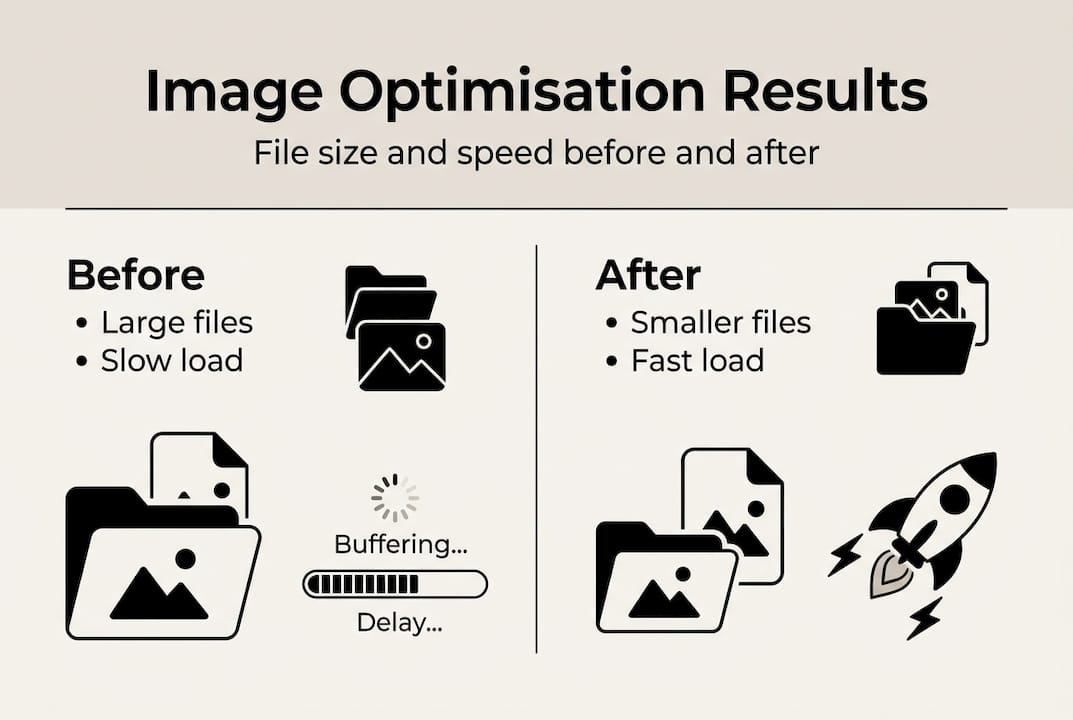
These typical results demonstrate the transformative impact of proper image optimisation for small business websites.
Create before-and-after comparisons using screenshots and performance scores. Document specific improvements in loading times, file sizes, and user experience metrics. This evidence helps justify the time invested and builds momentum for ongoing optimisation efforts.
Track business outcomes alongside technical metrics. Monitor bounce rates, time on site, and conversion rates to see how faster loading translates into better business results. Many businesses see measurable improvements in these areas after optimising images.
Set up ongoing monitoring to maintain performance gains. Schedule monthly PageSpeed Insights tests, review Search Console data regularly, and audit new images before publishing them. Performance optimisation isn’t a one-time project but an ongoing practice.
The effective image optimisation 2026 techniques continue evolving as new formats and browser capabilities emerge. Staying current ensures you maintain competitive advantages. Regular website SEO metrics reviews help you understand how image optimisation contributes to overall search visibility.
Enhance your website’s performance with professional web design and SEO services
Image optimisation delivers substantial improvements, but it’s just one component of comprehensive website performance. Professional web design integrates optimised images with fast-loading code, efficient hosting, and conversion-focused layouts that transform visitors into customers.

Expert website design and development services ensure your entire site works harmoniously. Specialists implement advanced optimisation techniques, configure content delivery networks, and build responsive designs that perform brilliantly across all devices. When professionals handle your website, you gain time to focus on running your business whilst knowing your online presence operates at peak efficiency.
SEO audits identify opportunities beyond image optimisation, examining technical factors, content quality, and competitive positioning. Combined with proven SEO strategies, your optimised images contribute to higher search rankings and increased organic traffic. The synergy between fast-loading pages and strategic SEO amplifies results beyond what either achieves alone.
Frequently asked questions
How do I choose the best image format for my website?
Use AVIF for static images requiring maximum compression and superior quality. WebP works better for dynamic images and offers broader browser support across older devices. Always provide fallback JPEG or PNG versions to ensure compatibility with browsers that don’t support modern formats.
What file size should I target for hero images?
Aim for under 200-250KB for hero or largest contentful paint images. These critical above-the-fold images directly impact perceived loading speed and user experience. Never apply lazy loading to hero images, as this delays their appearance and harms performance metrics.
How can I avoid cumulative layout shift caused by images?
Always specify width, height, or aspect-ratio attributes on img tags to reserve space before images load. Use Chrome Lighthouse or PageSpeed Insights to detect layout shift issues and identify images lacking proper dimensions. This simple practice dramatically improves user experience by preventing content from jumping around during page loading.
Which tools help measure image optimisation impact?
Google PageSpeed Insights provides comprehensive performance analysis with specific image recommendations. Chrome Lighthouse offers detailed diagnostics you can run locally in your browser. Google Search Console delivers real-user core web vitals data showing actual visitor experiences. Use all three tools together for complete performance visibility and actionable improvement guidance.