
Optimised images are the secret weapon UK businesses overlook. Pages with well optimised images see bounce rates drop by 20 to 30%, keeping visitors engaged longer and signalling quality to search engines. Yet many SMBs load uncompressed, massive files that sabotage rankings. This guide shows you practical image optimisation strategies proven to boost visibility, speed up pages, and grow organic traffic for your business.
Table of Contents
- Introduction To Image SEO: Why Images Matter
- Technical Optimisation: File Size, Format, And Compression
- The Role Of Alt Text And Metadata In SEO
- Impact Of Images On User Engagement And SEO
- Common Misconceptions And Mistakes In Image SEO
- Tools And Techniques For Image SEO Optimisation
- Case Studies Demonstrating Image SEO Impact
- Conclusion And Next Steps For SMBs
- Boost Your Business With Professional Web And SEO Services
- Frequently Asked Questions
Key takeaways
| Point | Details |
|---|---|
| Faster load speeds | Compressed images reduce page load times by up to 30%, improving SEO rankings and user satisfaction. |
| Enhanced indexing | Alt text and schema markup help search engines understand images, increasing organic traffic by 5 to 10%. |
| Better engagement | Relevant, optimised visuals reduce bounce rates significantly and extend visitor dwell time on your site. |
| Modern formats matter | WebP images are 25 to 34% smaller than JPEGs, directly boosting Core Web Vitals scores. |
| Avoid common mistakes | Unoptimised images slow sites drastically; regular audits prevent costly errors and maintain SEO health. |
Introduction to image SEO: why images matter
Images do more than make your website look appealing. They directly influence how search engines rank your pages and how visitors interact with your content. When you optimise images properly, you improve technical performance, enrich metadata for better indexing, and create a smoother experience that keeps people browsing longer.
Small and medium sized businesses often compete against larger brands with bigger budgets. But image SEO levels the playing field. By prioritising load speed, accessibility, and descriptive metadata, you signal to Google that your site delivers quality. Search engines use image data to understand page context better, helping you rank for relevant queries and reach customers actively searching for your services.
Here’s why image optimisation deserves your attention:
- Technical performance: Large, uncompressed images drag down page speed, harming Core Web Vitals and rankings. Optimised files load faster, reducing bounce rates and improving mobile usability.
- Enhanced metadata: Alt text, captions, and schema markup give search engines clear signals about your content. This boosts visibility in image search and standard search results.
- User engagement: Relevant visuals capture attention, increase time on page, and encourage conversions. Visitors stay longer when images load quickly and add value.
- Competitive advantage: Many SMBs neglect image SEO, leaving gaps you can exploit. Proper optimisation helps you stand out in local search results and outrank competitors.
Understanding these fundamentals prepares you to implement strategies that deliver measurable results. Image SEO isn’t just about aesthetics. It’s about making your website work harder to attract, engage, and convert your ideal customers. Whether you’re building a new site or refreshing an existing one, mastering image optimisation is essential for improving your search engine rankings and boosting your SME’s visibility.
Technical optimisation: file size, format, and compression
Technical factors like file size, format, and compression directly determine how fast your pages load. Google prioritises fast sites in rankings, and visitors abandon slow pages within seconds. Getting these elements right is non negotiable for effective image SEO.

Start by compressing images before uploading. Reducing image file size by 50% can improve page load times by up to 30%, boosting SEO rankings. Modern compression tools maintain visual quality while slashing file sizes, so your images look sharp without dragging performance down.
Format choice matters enormously. JPEGs work for photos, PNGs for graphics with transparency, but WebP beats both. WebP images are on average 25 to 34% smaller than JPEGs and PNGs, delivering the same quality with faster loading. This format is supported by all major browsers in 2026, making it the smart default choice for SMBs wanting to improve Core Web Vitals.
Here’s a comparison of image formats and their impact:
| Format | Average File Size | Quality | Browser Support | Best Use Case |
|---|---|---|---|---|
| JPEG | Baseline | Good | Universal | Photographs, complex images |
| PNG | 30% larger than JPEG | Excellent | Universal | Graphics, logos, transparency |
| WebP | 25 to 34% smaller than JPEG | Excellent | Universal (2026) | All images, preferred format |
| SVG | Tiny | Scalable | Universal | Icons, simple graphics |
Pro tip: Batch convert your existing images to WebP format and test load speed improvements using Google PageSpeed Insights. Most CMS platforms now support WebP natively, making the switch straightforward.
Avoid these common technical mistakes:
- Uploading uncompressed images straight from your camera or designer. These files are often several megabytes, far too large for web use.
- Using oversized dimensions when smaller versions work fine. Resize images to match their display size on your site.
- Forgetting to optimise images on mobile, where slow connections make compression even more critical.
- Neglecting lazy loading, which defers offscreen images until users scroll to them, improving initial page speed.
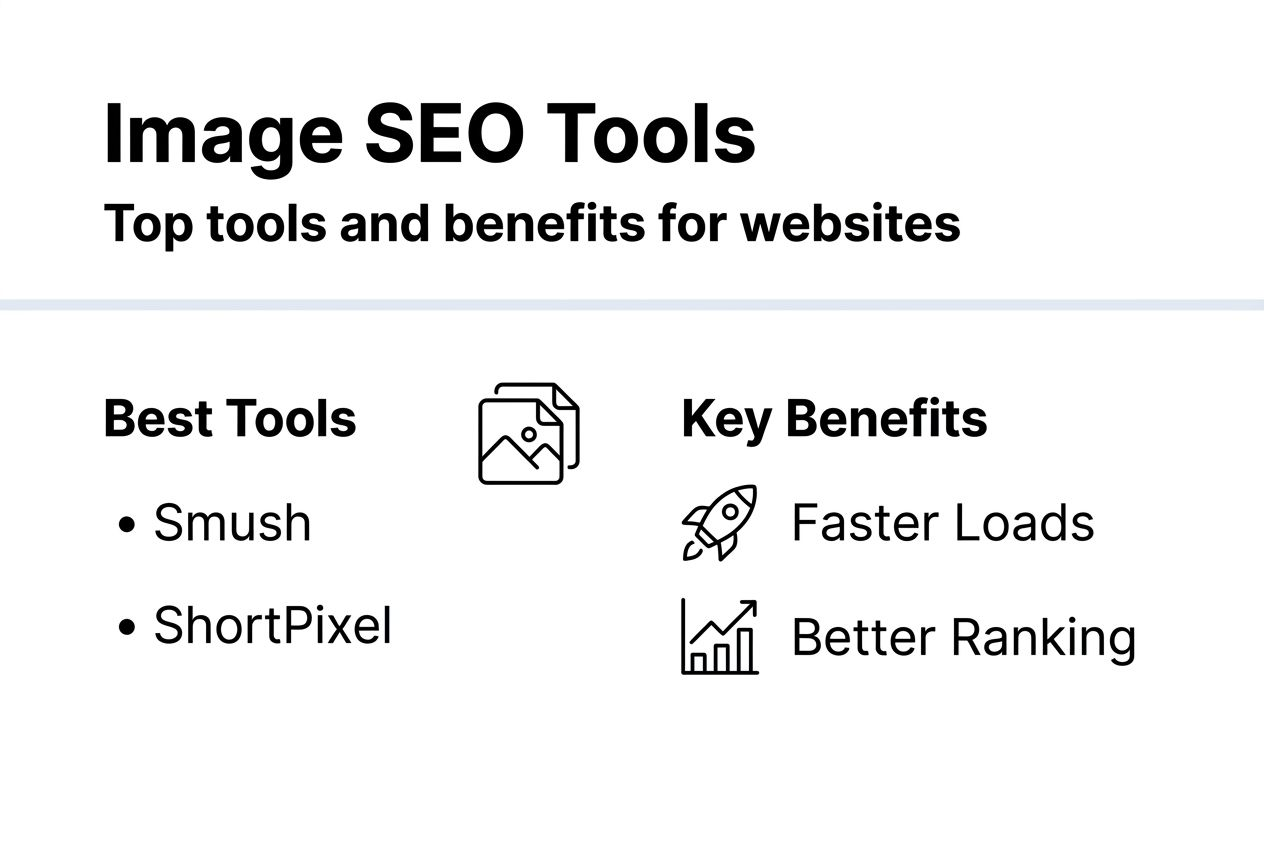
Automation makes ongoing optimisation manageable. CMS plugins like Smush or ShortPixel compress images automatically on upload, saving you manual work. These tools also convert formats, generate responsive sizes, and integrate with content delivery networks for faster global delivery. For UK SMBs juggling multiple priorities, automation ensures image SEO stays consistent without constant attention. Check our SEO best practices checklist and top SEO tools comparison for more guidance on choosing the right solutions.
The role of alt text and metadata in SEO
Alt text and metadata are invisible to visitors but essential for search engines and accessibility. They describe what images show, helping Google index your content accurately and serving users who rely on screen readers. Skipping these elements means missing easy wins for traffic and inclusivity.
Alt text, short for alternative text, labels each image with a concise description. Websites with optimised alt text see on average a 5 to 10% increase in organic traffic because search engines understand your content better and can surface it for relevant queries. Write alt text that describes the image clearly and includes your target keyword naturally, without stuffing.
Schema markup takes metadata further by adding structured data that search engines read directly. Websites implementing image schema markup experience up to 15% higher click through rates from search results because rich results with images stand out in SERPs. Adding schema tells Google about image licences, creators, and context, improving your chances of appearing in enhanced listings.
Accessibility is both ethical and practical. Over 50% of websites fail basic accessibility tests related to images due to missing alt tags, excluding users with visual impairments and risking legal compliance issues. Proper alt text makes your site usable for everyone, which indirectly benefits SEO by broadening your audience and signalling quality to search engines.
Follow these alt text best practices:
- Keep descriptions concise, typically under 125 characters, focusing on what’s essential.
- Describe the image content and function, not just say “image of” or “picture of.”
- Include relevant keywords naturally, but prioritise clarity over keyword density.
- Skip alt text for purely decorative images; use empty alt attributes instead to avoid cluttering screen readers.
- Update alt text when you refresh images or change page context to maintain accuracy.
Pro tip: Write concise, descriptive alt text incorporating relevant keywords naturally. Read your alt text aloud to check it makes sense independently of surrounding content.
Captions and file names also contribute to SEO. Descriptive file names like “uk-sme-office-team.jpg” are more helpful than “IMG_1234.jpg.” Captions provide additional context that reinforces your target keywords and improves readability. Together, these metadata elements create a comprehensive SEO profile for each image, maximising visibility and enhancing your site’s overall optimisation. Implementing schema markup across your site further amplifies these benefits.
Impact of images on user engagement and SEO
Optimised images don’t just help search engines. They dramatically improve how visitors interact with your site, and those engagement signals feed back into your rankings. When users stay longer and bounce less, Google interprets your content as valuable and rewards you with better positions.
Pages with optimised images can see bounce rate decrease by 20 to 30%, increasing average session duration significantly. Fast loading, relevant visuals capture attention immediately and encourage people to explore further. Slow, irrelevant, or missing images frustrate visitors, prompting them to leave and try a competitor’s site instead.
Dwell time, the amount of time someone spends on your page, is a key ranking factor. Engaging images that support your content keep readers scrolling and absorbing information. This signals to search engines that your page satisfies user intent, boosting your authority and relevance for target keywords.
Consider these engagement benefits:
- Reduced bounce rates: Quick loading images prevent early exits, keeping visitors on your site longer.
- Increased conversions: Relevant product images, infographics, and visual guides help users make decisions faster.
- Improved mobile experience: Optimised images are crucial on mobile, where users expect instant load times and smooth scrolling.
- Enhanced brand perception: Professional, high quality images build trust and credibility, making visitors more likely to contact you or purchase.
“Engaged users viewing optimised images stay longer, directly impacting SEO signals that improve search rankings and drive sustainable business growth.”
Poorly optimised images harm user experience in multiple ways. Large files cause layout shifts as they load, frustrating readers and increasing bounce rates. Irrelevant or low quality visuals make your content look unprofessional, damaging trust. Missing images break page layout and leave gaps that confuse visitors. All these issues send negative signals to search engines, undermining your SEO efforts and online visibility.
Prioritise images that genuinely add value. Stock photos rarely engage as well as original visuals showing your actual team, products, or workspace. Infographics summarising key points, annotated screenshots, and before and after comparisons all encourage interaction and sharing. The more relevant and helpful your images, the better your engagement metrics and SEO performance.
Common misconceptions and mistakes in image SEO
Many SMB owners misunderstand image SEO, leading to costly mistakes that hurt performance. Clearing up these misconceptions helps you avoid pitfalls and implement strategies that actually work.
- Misconception: Adding images automatically improves SEO. Reality: Unoptimised images slow load times and harm rankings. You must compress, format correctly, and add metadata for positive impact.
- Misconception: Alt text is optional or unimportant. Reality: Alt text is crucial for both search engine indexing and accessibility. Skipping it means missing easy traffic gains and excluding users with disabilities.
- Misconception: Image SEO delivers instant ranking improvements. Reality: SEO benefits typically manifest within 3 to 6 months after implementing changes. Search engines need time to recrawl, reindex, and adjust rankings based on new signals.
- Misconception: All image formats perform equally. Reality: Format choice dramatically affects file size and load speed. WebP outperforms JPEG and PNG significantly, making it the preferred option in 2026.
- Misconception: Image optimisation is a one time task. Reality: Ongoing audits and updates are essential. New images need optimising, old images may need refreshing, and tools require configuration as your site evolves.
The most damaging mistake is uploading large, uncompressed images without resizing or formatting. A single 5MB photo can add seconds to load time, destroying mobile user experience and tanking your rankings. Always compress and resize before uploading, even if your CMS has automatic optimisation.
Another common error is neglecting alt text entirely or using generic descriptions like “image” or “photo.” This wastes an easy opportunity to rank for image search and makes your site less accessible. Write specific, descriptive alt text for every meaningful image.
Pro tip: Regularly audit your images to ensure alt text and optimisation standards are met. Use tools like Screaming Frog or your CMS’s SEO plugin to identify missing alt tags and oversized files. Schedule quarterly reviews to catch issues before they impact performance.
Expecting immediate results sets you up for disappointment. SEO is a long game, and image optimisation is no exception. Implement best practices consistently, monitor your metrics, and be patient. The improvements will come, typically within 3 to 6 months, but sustained effort is required. Avoid chasing quick fixes or neglecting fundamental SEO mistakes that undermine your progress.
Tools and techniques for image SEO optimisation
The right tools make image optimisation straightforward, even for SMBs without technical expertise. Automation, compression, and analytics plugins handle the heavy lifting, freeing you to focus on strategy and content.
Automation plugins like Smush, ShortPixel, and Imagify can reduce manual optimisation effort by up to 80%. These tools compress images on upload, convert formats automatically, and generate responsive sizes for different devices. Most integrate seamlessly with WordPress and other popular CMS platforms, making setup simple.
Compression tools balance quality and file size perfectly. TinyPNG, Squoosh, and Compressor.io offer browser based compression if you prefer manual control. For bulk processing, desktop tools like ImageOptim (Mac) or FileOptimizer (Windows) handle hundreds of images quickly. Choose lossless compression for graphics and logos, lossy for photos where slight quality reduction is acceptable.
Here’s a comparison of popular image optimisation tools:
| Tool | Ease of Use | Compression Quality | Automation | Best For |
|---|---|---|---|---|
| Smush | Very easy | Good | Excellent | WordPress users wanting simple setup |
| ShortPixel | Easy | Excellent | Excellent | SMBs needing high quality compression |
| TinyPNG | Very easy | Excellent | Manual | Quick browser based compression |
| Imagify | Easy | Excellent | Excellent | Users wanting WebP conversion |
| ImageOptim | Moderate | Excellent | Batch | Mac users processing local files |
Regular audits ensure ongoing SEO health. Use Google PageSpeed Insights to identify slow loading images and get specific recommendations. Your CMS’s SEO plugin (like Yoast or Rank Math) flags missing alt text and oversized files. Schedule monthly checks to catch new issues before they accumulate.
Pro tip: Integrate image optimisation into your website maintenance schedule for consistent SEO benefits. Set reminders to review new uploads, update alt text, and test load speeds quarterly.
Consider these techniques for maintaining image SEO:
- Enable lazy loading so images load only when users scroll to them, improving initial page speed.
- Use responsive images with srcset attributes to serve appropriately sized versions based on device and screen resolution.
- Implement a content delivery network (CDN) to cache images globally, reducing latency for international visitors.
- Monitor Core Web Vitals in Google Search Console to track how image optimisation affects your rankings over time.
For SMBs managing multiple priorities, automation is key. Configure your plugins once, then let them handle ongoing optimisation automatically. This consistency prevents backsliding and ensures every new image meets best practice standards. Explore our top SEO tools comparison and SEO best practices checklist for more detailed guidance. The photo uploading best practices guide also offers practical tips for maintaining quality during upload.
Case studies demonstrating image SEO impact
Real world examples prove image optimisation delivers measurable results for UK SMBs. These case studies show the timeline, effort, and outcomes you can expect from implementing best practices.
A London based interior design firm struggled with high bounce rates and slow page speeds. Their portfolio pages featured stunning but massive images, often exceeding 3MB each. After compressing all images to WebP format, adding descriptive alt text, and implementing lazy loading, they saw dramatic improvements within four months. Organic traffic increased by 18%, bounce rate dropped by 25%, and average session duration rose by 40%. The changes required minimal ongoing effort thanks to automated plugins handling new uploads.
A Manchester ecommerce retailer selling outdoor gear faced similar challenges. Product pages loaded slowly on mobile, frustrating customers and hurting conversions. They implemented schema markup for product images, compressed existing files by 60%, and rewrote all alt text to include relevant keywords naturally. Within five months, mobile organic traffic grew by 22%, and their products began appearing in Google’s rich results with star ratings and prices. Click through rates from search results jumped by 14%.
Key takeaways from these case studies:
- Timeline: Expect meaningful SEO improvements within 3 to 6 months after implementing image optimisation changes. Search engines need time to recrawl and reindex your site.
- Effort: Initial setup requires focused work, but automation maintains standards with minimal ongoing effort. Budget a few hours for auditing and configuring tools, then monthly check ins.
- Measurable outcomes: Track organic traffic, bounce rates, session duration, and Core Web Vitals to quantify impact. Most SMBs see 10 to 25% traffic increases from comprehensive image optimisation.
- Compounding benefits: Image SEO improvements boost overall site performance, enhancing user experience and supporting other SEO efforts like content marketing and link building.
These examples show that image optimisation isn’t just theory. UK SMBs competing in crowded markets gain real competitive advantages by prioritising fast, accessible, well described visuals. The investment in time and tools pays off through increased visibility, better engagement, and ultimately more customers finding your business online.
Conclusion and next steps for SMBs
Image SEO is a powerful lever for growing your online visibility and attracting more customers. By optimising file sizes, formats, alt text, and metadata, you improve search rankings, reduce bounce rates, and create a better experience for every visitor. The strategies in this guide are proven to deliver results, typically within 3 to 6 months of consistent implementation.
Take action today with these practical steps:
- Audit your existing images: Use Google PageSpeed Insights and your CMS’s SEO plugin to identify large files and missing alt text. Prioritise your most visited pages first.
- Implement compression and format conversion: Install an automation plugin like Smush or ShortPixel to handle new uploads. Batch convert existing images to WebP format for immediate speed gains.
- Write descriptive alt text: Review every image on your site and add concise, keyword rich alt text that describes content and context clearly.
- Add schema markup: Implement image structured data to increase your chances of appearing in rich search results and image search.
- Monitor and refine: Track Core Web Vitals, organic traffic, and engagement metrics monthly. Adjust your approach based on what’s working and where gaps remain.
Patience is essential. SEO improvements take time to materialise as search engines recrawl and reindex your site. Maintain consistent optimisation practices, avoid common mistakes, and trust the process. Regular monitoring ensures you catch issues early and sustain your gains long term.
Image optimisation is just one piece of a comprehensive SEO strategy. Combine it with quality content, technical site health, and link building for maximum impact. When you get images right, you signal to search engines and visitors alike that your site delivers value, setting the foundation for sustainable business growth online.
Boost your business with professional web and SEO services
Optimising images yourself delivers results, but professional expertise accelerates your success. At Kickass Online, we specialise in helping UK SMBs build high performing websites that attract customers and convert visitors. Our team handles everything from website design and development to comprehensive SEO audits that identify exactly where your site needs improvement.

We take image optimisation seriously because we’ve seen firsthand how it transforms business outcomes. Our clients benefit from faster load speeds, better rankings, and more engaged visitors. Whether you’re launching a new site or refreshing an existing one, our tailored approach ensures your images work as hard as your content. Explore our guide to SEO strategies to learn more about how we help SMBs dominate search results and grow sustainably.
Frequently asked questions
What is the best image format for SEO?
WebP format offers superior compression and quality balance, ideal for SEO. It reduces file size by about 25 to 34% compared to JPEG or PNG, improving load speeds without sacrificing visual quality. All major browsers support WebP in 2026, making it the smart default choice for SMBs wanting to boost Core Web Vitals and search rankings.
How long does it take to see SEO results from image optimisation?
SEO benefits from image optimisation typically appear after 3 to 6 months due to search engine indexing cycles. Google needs time to recrawl your pages, process the changes, and adjust rankings based on improved performance signals. Patience and ongoing optimisation efforts are essential for sustained outcomes and long term visibility gains.
What tools can small businesses use to optimise images?
CMS plugins like Smush or ShortPixel offer automated, user friendly image optimisation that compresses files on upload and converts formats without manual work. Online compression tools such as TinyPNG and regular SEO audit plugins assist ongoing management by flagging issues. Refer to our top SEO tools comparison for detailed recommendations tailored to your needs.
Why is alt text important for SEO and accessibility?
Alt text describes images for search engines and users relying on screen readers, improving both SEO and accessibility. Websites with optimised alt text typically see 5 to 10% increases in organic traffic because search engines understand content better. Alt text also ensures your site is usable for people with visual impairments, broadening your audience and meeting legal accessibility standards.
Recommended
- Boost Your SEO with These Content Optimisation Tips | Kickass Online
- Startup SEO Growth Hacks: Maximise Results on a Budget | Kickass Online
- SEO Optimisation Workflow for Business Growth Success | Kickass Online
- Guide to SEO Strategies: Boost Online Visibility and Drive Organic Traffic | Kickass Online