Website audit checklist: Boost your business visibility

TL;DR:
- Regular website audits identify technical issues that can cause significant traffic loss.
- Using free tools like Google Search Console and Screaming Frog is effective for SMBs.
- Ongoing audits and fixes are essential for maintaining search visibility and improving conversions.
Your website could be quietly haemorrhaging traffic right now, and you might not even know it. Broken links, slow load times, and indexing errors are the kind of issues that compound over weeks until your rankings slip and enquiries dry up. For small and medium-sized businesses, this is not a hypothetical risk. It is a pattern we see repeatedly. A structured website audit checklist gives you a repeatable process to catch these problems before they cost you customers. This guide walks you through every stage, from choosing the right tools to verifying your results, so you can protect and grow your online visibility with confidence.
Table of Contents
- Why regular website audits matter for your business
- Tools and resources to streamline your audit
- Step-by-step website audit checklist for SMBs
- Edge cases and pitfalls: What most guides miss
- Verifying results: Measuring audit impact and next steps
- Our perspective: Why most SMB website audits fall short and what actually works
- Professional website audits and ongoing support
- Frequently asked questions
Key Takeaways
| Point | Details |
|---|---|
| Regular audits prevent losses | Checking your site quarterly can stop hidden issues from costing you traffic and sales. |
| Use the right tools | Start with free audit tools for efficiency and only upgrade tools as your audit needs grow. |
| Prioritise technical fixes | Tackle indexing, crawlability, and security problems before cosmetic tweaks to maximise results. |
| Document and monitor | After each audit, record changes and keep tracking performance for ongoing improvement. |
Why regular website audits matter for your business
A website audit is a systematic review of every factor that affects your site’s performance in search engines and for your visitors. Think of it like an annual health check for your business, except the consequences of skipping it show up in your analytics rather than a doctor’s report. The audit examines technical structure, content quality, user experience, security, and link profile, all in one process.
The business case is straightforward. Sites that go without structured reviews can experience up to 12% quarterly traffic loss from accumulated technical errors alone. That is not a dramatic edge case. It is what happens when crawl errors, duplicate content, and slow pages are left unchecked. A structured audit methodology starting with crawlability, performed quarterly, is the standard recommendation for most UK SMBs.
For competitive or high-value sites, monthly checks make more sense. If you run an e-commerce store or a lead-generation site where a single week of poor visibility translates to lost revenue, the frequency should match the stakes.
Successful audits consistently deliver measurable outcomes:
- Improved organic search rankings through technical fixes
- Faster page load speeds that reduce bounce rates
- Stronger security posture that protects customer data
- Better conversion rates from improved user experience
- Cleaner site architecture that search engines can crawl efficiently
Audits are not a one-time project. They are the foundation upon which every future improvement is built. Without a baseline, you are optimising blindly.
If you want a deeper look at SEO audit insights and how they translate to business results, the evidence is consistent: businesses that audit regularly outperform those that do not.
Tools and resources to streamline your audit
With regular audits shown to drive measurable business value, let’s gather the right toolkit for the job. The good news is that you do not need to spend a fortune to get started. Free tools cover most of the fundamentals, and paid options become worthwhile as your site grows.

Here is a comparison of the most useful audit tools for SMBs:
| Tool | Cost | Best for | Key feature |
|---|---|---|---|
| Google Search Console | Free | Indexing and performance | Crawl error reports |
| Google PageSpeed Insights | Free | Page speed analysis | Core Web Vitals data |
| Screaming Frog | Free up to 500 URLs | Technical crawl | Broken links, redirects |
| Semrush Site Audit | From £99/month | Full site health | Automated issue scoring |
As the SEO audit guide from HubSpot makes clear, you should use free tools like Google Search Console for quick wins, then scale to crawlers and site auditors as your business needs grow. This is sensible advice. Paying for premium tools before you have exhausted the free options is a common mistake.
For most SMBs, the free tier of Screaming Frog combined with Google Search Console covers the majority of technical checks. When you are ready to go further, tools like Semrush offer automated scoring and competitor benchmarking that save significant time. You can also explore our SEO tool comparison to weigh options based on your budget and site size.
For a deeper technical setup, technical SEO tools such as log file analysers and rendering checkers add another layer of insight.
Pro Tip: Start every audit by checking the metrics that directly affect revenue first. Indexing errors and page speed issues hurt your bottom line faster than missing alt text ever will.
Step-by-step website audit checklist for SMBs
With your toolkit ready, here is how to execute a thorough yet manageable website audit. Following a logical sequence matters because fixing a content issue before resolving a crawlability problem is like repainting a wall before fixing the damp behind it.
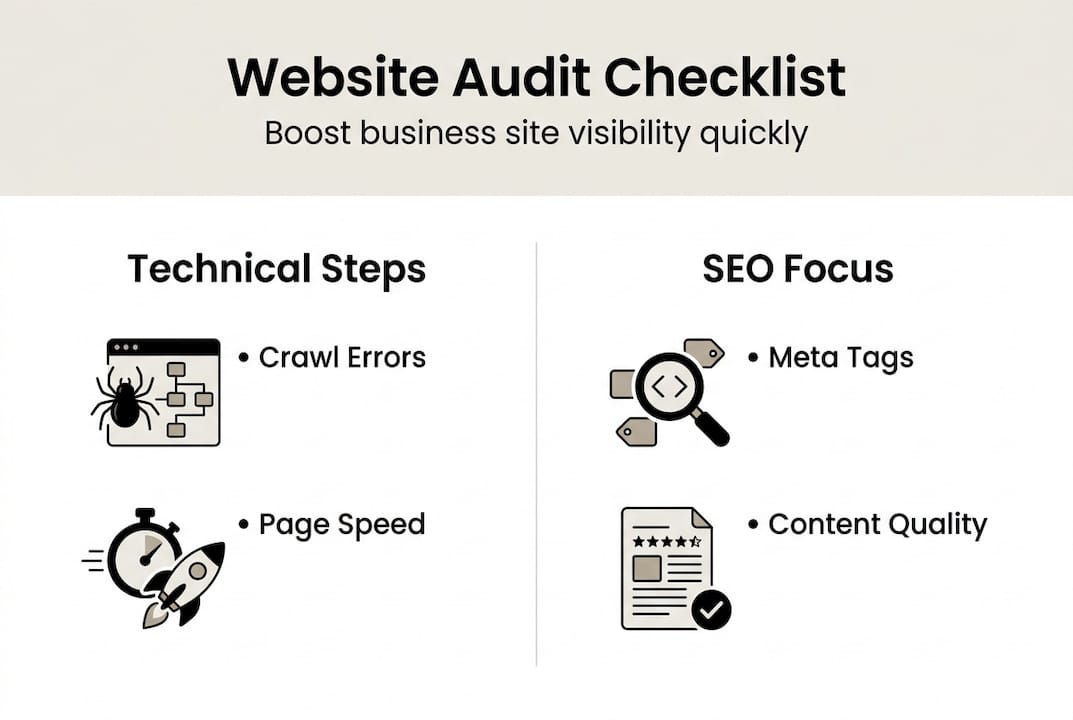
- Check crawlability and indexing — Run Screaming Frog and cross-reference with Google Search Console to identify pages blocked by robots.txt or missing from the index.
- Audit Core Web Vitals — Use PageSpeed Insights to assess Largest Contentful Paint, Cumulative Layout Shift, and Interaction to Next Paint scores.
- Verify HTTPS and security — Confirm your SSL certificate is valid, check for mixed content warnings, and review any security headers.
- Review site architecture and internal links — Ensure every important page is reachable within three clicks and that internal linking supports your priority pages.
- Assess content quality — Check for thin pages, duplicate content, and missing or poorly written meta titles and descriptions.
- Evaluate user experience — Test navigation, mobile responsiveness, and form functionality across multiple devices.
- Audit your backlink profile — Use Search Console or Semrush to identify toxic or spammy links that could harm your rankings.
A good SEO ranking audit follows this sequence because technical issues like indexing and Core Web Vitals must be resolved before content or link improvements can take full effect. The audit covers technical SEO, content, performance, security, UX, and backlinks in this logical order for best results.
| Fix type | Business impact | Effort required |
|---|---|---|
| Crawl and indexing errors | Very high | Low to medium |
| Core Web Vitals | High | Medium |
| HTTPS and security | High | Low |
| Content quality | Medium | High |
| Backlink cleanup | Medium | Medium |
Our SEO best practices checklist and guide to essential SEO factors expand on each of these areas in detail.
Pro Tip: Treat your audit as an iterative process. Fix the highest-impact issues first, then re-crawl to confirm the fixes before moving to the next tier.
Edge cases and pitfalls: What most guides miss
Executing the main checklist is crucial, but there are nuanced edge cases that deserve special attention. Most standard audit guides stop at the obvious stuff. The issues below are where real visibility problems hide, and they are frequently overlooked by SMBs and even some agencies.
Commonly missed pitfalls include:
- JavaScript rendering issues — If your site relies heavily on JavaScript to load content, search engines may not see what your visitors see. This is a growing problem as more sites use React or Vue frameworks.
- Soft 404 errors — Pages that return a 200 OK status but display “no results found” or empty content confuse search engines and waste crawl budget.
- Canonical chain loops — When page A canonicals to page B, which canonicals back to page A, search engines give up and may not index either correctly.
- Faceted navigation — E-commerce and directory sites that generate thousands of filter URLs can exhaust crawl budget and create duplicate content at scale.
- International SEO errors — Incorrect or missing hreflang tags cause search engines to show the wrong language version to the wrong audience.
- Post-migration regressions — After a platform change or redesign, redirect chains and lost metadata are almost guaranteed without a specific post-launch audit.
As edge case testing insights confirm, JS-dependent content, faceted navigation, and soft 404s are commonly missed in SMB website audits. These are not rare scenarios. They affect a significant proportion of modern business websites.
Ignoring modern web architecture in your audit is like checking the tyres but never looking under the bonnet. The engine is where the real problems live.
Our guide on critical SEO mistakes covers several of these scenarios with practical fixes you can implement immediately.
Verifying results: Measuring audit impact and next steps
After walk-throughs and edge case testing, it is time to close the loop and keep results sustainable. Implementing fixes without measuring their impact is a missed opportunity. Verification is what turns an audit from a one-off task into a genuine growth engine.
Start by re-crawling your site with Screaming Frog after implementing changes. Compare the error count before and after to confirm fixes have taken effect. Then move to Google Search Console to check that previously excluded pages are now being indexed.
Key metrics to monitor on an ongoing basis:
- Organic traffic trends — A week-on-week and month-on-month view in Google Analytics reveals whether fixes are translating to real visitor growth.
- Core Web Vitals scores — Track these in Search Console’s Core Web Vitals report to confirm performance improvements are holding.
- Crawl error counts — A declining error count over successive audits is a strong signal of improving site health.
- Conversion rates — Ultimately, traffic only matters if it converts. Compare conversion data before and after each audit cycle.
Comparing Google Analytics and Search Console data before and after implementing audit actions is the most reliable way to measure post-audit ROI. This approach gives you hard evidence to justify the time invested and to prioritise future work.
For a broader view of how audits fit into your overall strategy, our digital marketing checklist and business performance results pages provide useful context.
Pro Tip: Set a calendar reminder for your next quarterly audit the moment you finish the current one. Also schedule a mini-review immediately after any major site change, such as a redesign, migration, or new content section launch.
Our perspective: Why most SMB website audits fall short and what actually works
Having covered the verification process, here is our hard-won viewpoint on what separates effective audits from wasted effort.
Most SMB website audits we encounter focus on the visible stuff: updating meta descriptions, refreshing blog posts, tweaking page titles. These are not bad things to do. But they consistently deliver far less impact than fixing the technical foundations that determine whether your site can be found at all.
We worked with a business that had been publishing two blog posts a week for over a year without meaningful traffic growth. A basic crawl revealed that a misconfigured robots.txt file was blocking their entire blog section from being indexed. One fix, implemented in under an hour, led to a 34% increase in organic sessions within six weeks. No new content was required.
The uncomfortable truth is that checklist-only audits, done once and then forgotten, create a false sense of security. The web changes constantly. Google updates its algorithms, your CMS releases updates, and your team adds pages without always following best practice. Continuous improvement, built into your quarterly routine, is the only approach that sustains results. Understanding why audits matter at a strategic level is what shifts them from a technical chore to a genuine competitive advantage.
Professional website audits and ongoing support
For business owners ready to go further, professional help ensures you never face these challenges alone.
Running a thorough audit takes time, expertise, and the right tools. When issues are missed or fixes are applied incorrectly, the costs compound quickly in lost traffic and wasted resource. That is where working with specialists pays for itself.

At Kickass Online, our expert SEO audits are built around the same structured methodology outlined in this guide, with the added benefit of experienced eyes that know where edge cases hide. We also offer website maintenance for business to keep your site healthy between audits, and our guide on maintenance check benefits explains exactly why ongoing care matters. Get in touch to book a consultation and find out how we can help your business grow online.
Frequently asked questions
How often should I do a website audit?
For most small or medium businesses, a quarterly audit is the standard recommendation, but high-traffic or competitive sites may benefit from monthly checks to stay ahead of emerging issues.
What tools do I need for a basic website audit?
Free tools like Google Search Console, Google PageSpeed Insights, and Screaming Frog are enough to get started, and scaling to premium tools only becomes necessary once your site grows beyond their limits.
What is the most important thing to check during an audit?
Fixing indexing and crawlability problems should always come first, because technical errors like these determine whether your site appears in search results at all, making every other improvement irrelevant until they are resolved.
Do I need to audit my website after small updates?
Minor updates can wait until your next scheduled check, but major changes like platform migrations or redesigns require an immediate audit because post-deployment regressions and lost metadata are common and can cause rapid ranking drops if left unchecked.
Recommended
- How to Boost Google Rankings for Your Business Website | Kickass Online
- SEO Audits: Enhancing Search Rankings for SMEs | Kickass Online
- 7 Effective Ways to Boost Website Visibility Online | Kickass Online
- Step by Step SEO Guide for Boosting Business Rankings | Kickass Online
- Amazon Sichtbarkeit verbessern: Strategien für 2026


Book A Discovery Call
Stay Connected