What is alt text and why your business needs it

Many top business websites lack proper alt text on crucial images, creating invisible barriers for thousands of potential customers. Alt text provides essential descriptions that enable screen readers to convey image content to visually impaired users whilst also appearing when images fail to load. This guide explains what alt text means for your business, clarifies best practices for writing effective descriptions, and demonstrates how implementing proper alt text enhances accessibility, strengthens SEO performance, and protects against legal compliance risks.
Table of Contents
- Key takeaways
- What alt text is and why it matters
- How to write effective alt text for your website
- Handling complex images and special cases
- Implementing alt text on your business website: practical steps
- Enhance your website with expert web development and SEO services
- Frequently asked questions
Key Takeaways
| Point | Details |
|---|---|
| Alt text purpose | Alt text provides a textual description for images to aid screen readers and to appear when images fail to load. |
| Accessibility and compliance | Proper alt text supports legal accessibility and reduces the risk of discrimination claims. |
| Meaningful vs decorative | Meaningful images require descriptive alt text, while decorative images should use empty alt text to avoid clutter. |
| Audit with CMS tools | SMBs can quickly audit image libraries and add effective alt text using content management system tools. |
What alt text is and why it matters
Alt text is a brief descriptive text added to the HTML alt attribute of images to provide a textual equivalent for non-visual users, screen readers, and when images fail to load. When a visually impaired person visits your website using assistive technology, the screen reader announces the alt text instead of simply stating “image” without context. This transforms visual information into accessible content that everyone can understand.
Beyond accessibility, alt text serves critical functional purposes. When images cannot load due to slow connections, browser settings, or technical errors, the alt text appears in place of the missing visual. This preserves your message and maintains communication with visitors regardless of technical circumstances. For business websites showcasing products, services, or team members, this fallback ensures your content remains comprehensible.
“Alt text enables equal access to web content by describing images for those who cannot see them, whilst simultaneously improving site usability for all visitors.”
The accessibility benefits align directly with legal standards and user inclusivity requirements. Websites serving customers must comply with accessibility guidelines to avoid discrimination claims and potential lawsuits. Providing proper alt text demonstrates commitment to serving all customers equally whilst reducing legal exposure.
Alt text also contributes to SEO by helping search engines understand image content. Whilst this should never be the primary motivation, effective image optimisation naturally incorporates descriptive alt text that both serves accessibility needs and provides context for search algorithms. Search engines cannot “see” images but can read alt text, making these descriptions valuable for image search rankings and overall content relevance.
Key benefits include:
- Screen readers announce alt text to visually impaired users, making visual content accessible
- Alt text displays when images fail to load, preserving message continuity
- Search engines use alt text to understand and index image content
- Proper implementation demonstrates legal compliance with accessibility standards
- All users benefit from clearer context around visual elements
How to write effective alt text for your website
Writing quality alt text requires understanding the difference between meaningful and decorative images. Meaningful images convey essential information, whilst decorative images serve purely aesthetic purposes without adding content value. Each category demands a different approach to alt text implementation.

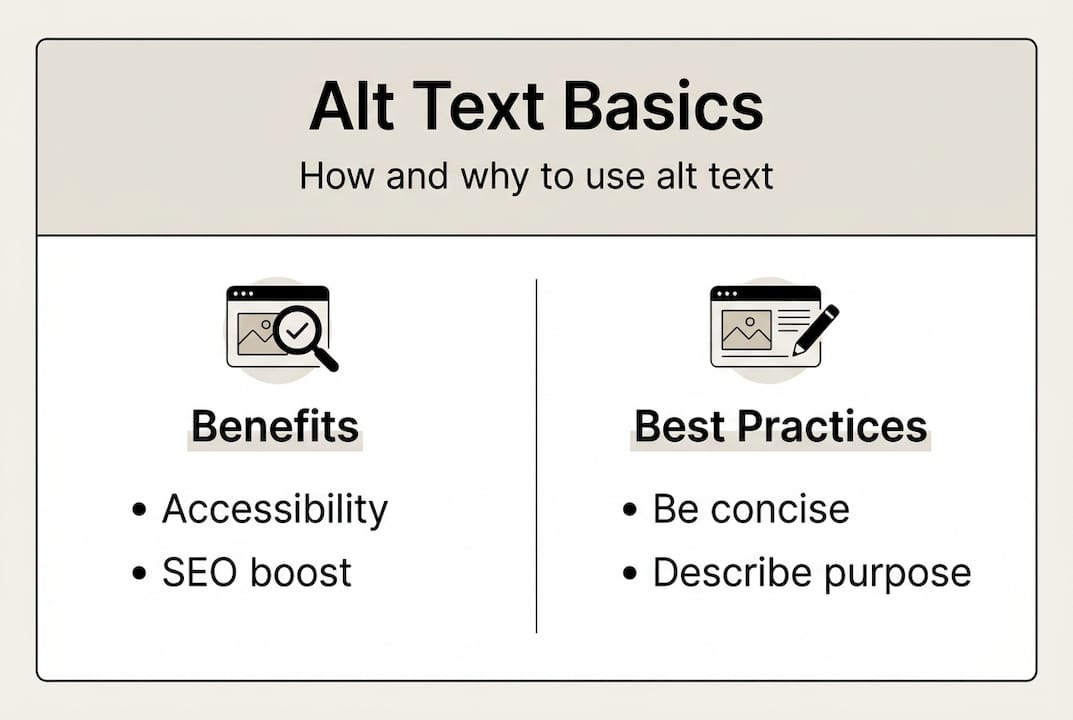
For meaningful images, describe the essential content or function within 10-15 words or approximately 125 characters. Focus on what the image communicates rather than simply listing what appears visually. A product photo needs functional description like “stainless steel coffee maker with programmable timer” rather than “image of appliance on counter.” Context matters tremendously. The same team photo might be described as “customer service team available for support” on a contact page but “leadership team with 50 years combined experience” on an about page.
Decorative images that provide no informational value should use empty alt text (alt=“”) rather than descriptive text. This signals screen readers to skip the image entirely, avoiding unnecessary clutter in the user experience. Decorative borders, background patterns, or purely aesthetic graphics fall into this category. Many businesses mistakenly add descriptions to every image, creating frustrating experiences for screen reader users who must listen to irrelevant descriptions.
Linked images and buttons require alt text describing the link destination or button function rather than the image itself. A logo linking to your homepage should use alt text like “Kickass Online homepage” instead of “company logo.” This tells users where the link leads, which matters far more than visual description.
Follow these steps for writing effective descriptions:
- Identify whether the image is meaningful, decorative, or functional
- Write concise descriptions focusing on essential information or purpose
- Tailor descriptions to surrounding content and page context
- Keep length to 10-15 words maximum for optimal screen reader experience
- Use empty alt=“” for purely decorative images
- Describe link destinations for clickable images
- Include relevant keywords naturally without forcing or stuffing terms
Keywords can appear in alt text when they genuinely describe the image, but accessibility must always take priority over SEO considerations. Forcing keywords into descriptions that do not naturally fit creates poor user experiences and violates accessibility principles. Your conversion rate optimisation efforts benefit far more from accessible, user-focused descriptions than from keyword-stuffed text.
Pro Tip: Read your alt text aloud without looking at the image. If someone could understand what the image conveys from your description alone, you have written effective alt text.
Handling complex images and special cases
Certain image types require specialised approaches beyond standard descriptive alt text. Logos should describe brands, images of text should include the actual text content, complex charts require summaries plus supplementary tables, and grouped images need strategic null alt attributes on redundant elements.
Logos present unique challenges because they serve both branding and navigational functions. When your logo links to the homepage, use alt text identifying your brand and the link purpose, such as “Kickass Online home.” This provides both brand recognition and functional clarity. Avoid redundant phrases like “logo” since the brand name itself suffices.
Images containing text demand that alt text reproduce the text exactly. Screenshots of social media posts, infographics with embedded copy, or promotional banners must include all readable text in the alt attribute. This ensures screen reader users receive identical information to sighted visitors. For lengthy text images, consider whether the content should exist as actual HTML text instead.
Complex charts, graphs, and diagrams need brief alt text summarising the key insight plus a longer description via
| Image type | Alt text approach | Example |
|---|---|---|
| Logo (linked) | Brand name plus link destination | “Kickass Online home” |
| Image of text | Reproduce all text exactly | “Special offer: 20% off web design packages” |
| Product photo | Describe key features and function | “Wireless keyboard with backlit keys” |
| Decorative graphic | Empty alt attribute | alt=“” |
| Complex chart | Summary plus detailed description | “Sales growth 2025-2026” plus data table |
| Grouped images | Describe set once, null alt on duplicates | First image: “Client testimonials”, others: alt=“” |
Grouped images showing multiple views of the same product or repeating decorative elements should use descriptive alt text on the first image only, with null alt=“” on subsequent images. This prevents screen readers from announcing redundant information repeatedly. Three photos of the same conference room need description only once, not three separate announcements.
For ambiguous or artistic photos where interpretation varies, provide your best objective description of visible elements. Author judgement applies when images serve aesthetic purposes without clear informational content. The key requirement is that you provide some description rather than leaving alt text blank.
Pro Tip: Use the
Your SEO optimisation strategy should incorporate these nuanced approaches to ensure both search engines and assistive technologies properly interpret specialised image content.
Implementing alt text on your business website: practical steps
SMBs should audit images systematically, classify them by purpose, write concise context-specific descriptions, test with screen readers, and incorporate relevant keywords naturally. Start by identifying which images lack alt text or have inadequate descriptions through automated scanning tools and manual review.
Auditing tools like WAVE, Lighthouse, and axe DevTools scan your website to flag missing or problematic alt text. These free browser extensions highlight accessibility issues and provide specific recommendations for improvement. Run these tools on key pages including your homepage, service pages, product catalogues, and blog posts to establish baseline alt text coverage.
Classify each image based on whether it serves decorative, informative, functional, or complex purposes. This classification determines the appropriate alt text strategy. Create a spreadsheet documenting each image, its current alt text, classification, and required action. This systematic approach prevents overlooking images whilst providing clear implementation guidance.
- Scan your website with WAVE or Lighthouse to identify missing alt text
- Review flagged images and classify by purpose
- Write appropriate alt text following guidelines for each image type
- Test descriptions with screen readers to verify effectiveness
- Update alt text in your CMS for all identified images
- Schedule regular audits to maintain compliance as you add new content
Consider this example audit data showing alt text coverage:
| Page section | Total images | Images with alt text | Missing alt text | Adequate descriptions | Needs improvement |
|---|---|---|---|---|---|
| Homepage | 12 | 8 | 4 | 5 | 3 |
| Services | 18 | 14 | 4 | 10 | 4 |
| Blog | 45 | 32 | 13 | 20 | 12 |
| Products | 67 | 58 | 9 | 48 | 10 |
Testing with screen readers validates whether your alt text actually works as intended. Download NVDA (Windows) or enable VoiceOver (Mac) to experience your website as visually impaired users do. Navigate through pages with your eyes closed, listening to how screen readers announce images. This firsthand experience reveals whether descriptions provide sufficient context or need refinement.
Most content management systems simplify alt text implementation through dedicated fields when uploading images. WordPress displays an “Alternative Text” field in the media library for every image. Shopify provides alt text options in product image settings. Use these built-in features rather than manually editing HTML, which reduces errors and streamlines updates.
Your SEO audit process should incorporate alt text review as a standard component. Regular audits catch new images lacking descriptions whilst identifying opportunities to improve existing alt text. Incorporate keyword research findings into alt text naturally when descriptions genuinely warrant specific terms.
Pro Tip: Create an alt text style guide for your team documenting preferred terminology, tone, and formatting conventions. Consistent approaches across your website create better user experiences whilst simplifying training for staff managing content.
Enhance your website with expert web development and SEO services
Implementing comprehensive accessibility features like proper alt text requires expertise in both technical standards and user experience principles. Kickass Online specialises in creating accessible, high-performing websites that serve all users whilst maximising search visibility and conversion potential.

Our website design and development services incorporate accessibility best practices from initial planning through launch and ongoing maintenance. We audit existing sites to identify gaps, implement proper alt text across all images, and establish processes ensuring new content meets accessibility standards. Our team stays current with evolving guidelines, protecting your business from compliance risks whilst enhancing user experience for every visitor.
Beyond accessibility, our SEO audit services optimise every element affecting search rankings, including image descriptions, page structure, and technical performance. We take a holistic approach that balances accessibility requirements with SEO opportunities, ensuring your website serves both human visitors and search algorithms effectively. Book a consultation to discover how professional web development support can transform your online presence.
Frequently asked questions
What is alt text?
Alt text is descriptive text added to HTML image tags that provides textual equivalents for visual content. Screen readers announce this text to visually impaired users, enabling them to understand what images convey. Alt text also displays when images fail to load, preserving your message regardless of technical issues.
How does alt text differ from image captions?
Alt text serves as a direct replacement for images, describing essential content or function for those who cannot see visuals. Captions appear visibly below images for all users, providing supplementary context or attribution. Use alt text for accessibility and captions for additional information that enhances understanding for everyone.
What length should alt text be?
Aim for 10-15 words or approximately 125 characters maximum. Concise descriptions work best for screen readers whilst capturing essential information. Longer descriptions can use supplementary techniques like
Can I include keywords in alt text?
Include keywords only when they naturally describe the image content. Accessibility must always take priority over SEO considerations. Forcing keywords into descriptions that do not genuinely fit creates poor user experiences and violates accessibility principles, potentially harming rather than helping your image optimisation efforts.
What tools can audit my website’s alt text?
WAVE, Lighthouse, and axe DevTools provide free browser-based scanning to identify missing or problematic alt text. These tools flag accessibility issues and offer specific recommendations. Combine automated scanning with manual review using screen readers to verify that descriptions actually provide meaningful context for users.
Recommended


Book A Discovery Call
Stay Connected