What Is a Sitemap – Boosting Website SEO Success

Struggling to figure out why your UK business website is slow to appear in Google searches? For many small business owners, understanding how search engines find and rank content can feel like guesswork—yet a clear, well-structured sitemap is often the missing link. By providing search engines with a direct guide to your most valuable pages, a sitemap helps you increase visibility and makes sure important content does not get overlooked. This guide clears up common sitemap myths and reveals how smart sitemap use puts your business ahead of the competition.
Table of Contents
- Sitemaps Explained – Core Purpose And Myths
- Key Sitemap Types And Their Functions
- How Sitemaps Improve Search Engine Rankings
- Integrating Sitemaps For Small Business Sites
- Mistakes To Avoid When Creating Sitemaps
Key Takeaways
| Point | Details |
|---|---|
| Sitemaps Enhance Site Visibility | A sitemap aids search engines in discovering and indexing your site’s important pages, improving overall visibility, particularly for larger or new websites. |
| Common Myths Addressed | Many business owners mistakenly believe every site needs a sitemap or that it guarantees indexation; this is not the case, as quality content and SEO practices are crucial. |
| Different Sitemap Types | XML sitemaps are essential for search engines, while HTML sitemaps enhance user navigation; understanding the right type for your business is vital for effective SEO. |
| Regular Updates Are Essential | Keeping your sitemap updated with changes to your site’s content is critical to maintaining its effectiveness and ensuring search engines have accurate information. |
Sitemaps Explained – Core Purpose and Myths
A sitemap is fundamentally a map for search engines. It’s an XML file that lists your website’s important pages, videos, and other content along with metadata about them.
Think of it like a directory in a book. Instead of readers flipping through every page hoping to find what they need, the directory shows them exactly where to look. Search engines work the same way.
What Sitemaps Actually Do
Sitemaps serve several critical functions for your site:
- Communicate which pages matter most to your business
- Provide last updated dates so Google knows when content changed
- Help search engines discover pages not linked internally
- Improve crawling efficiency, especially for large or complex sites
- Signal relationships between different content pieces
Search engines use sitemaps to crawl sites more efficiently and understand your site’s structure. This is particularly valuable if your site has thousands of pages or features rich media like videos.
Common Myths About Sitemaps
Here’s where confusion sets in. Many business owners believe myths that simply aren’t true.
Myth 1: Every website must have a sitemap. Not true. Small sites with fewer than 500 pages and solid internal linking often crawl fine without one. Larger sites, new sites, or those with complex navigation? Yes, add a sitemap.
Myth 2: A sitemap guarantees your pages will be indexed. Wrong. A sitemap helps search engines find your pages, but it doesn’t force indexation. Quality content and proper on-site SEO matter more.
Myth 3: Sitemaps are only for Google. False. Major search engines including Bing and smaller platforms benefit from sitemaps too.
Myth 4: Internal linking makes sitemaps unnecessary. Partially true. Strong internal linking helps, but sitemaps are critical for large or new websites with complex structures because they ensure every important page gets crawled.
Why Your UK Business Needs One
If you’re a small-to-medium business competing for local or national visibility, a sitemap gives you an edge. It works alongside your site architecture and content hierarchy to ensure search engines understand exactly how your site is organised.
New sites especially benefit. When you launch, search engines don’t yet know your content exists. A sitemap accelerates discovery.
Sitemaps aren’t optional for competitive advantage—they’re a practical tool that directly improves how search engines interact with your site.
Pro tip: Generate your sitemap using your website platform’s built-in tools (WordPress plugins, Shopify apps, or custom solutions), then submit it to Google Search Console to confirm it’s working properly.
Key Sitemap Types and Their Functions
Not all sitemaps are created equal. Different types serve different purposes, and understanding which ones your business needs is crucial for maximising SEO results.
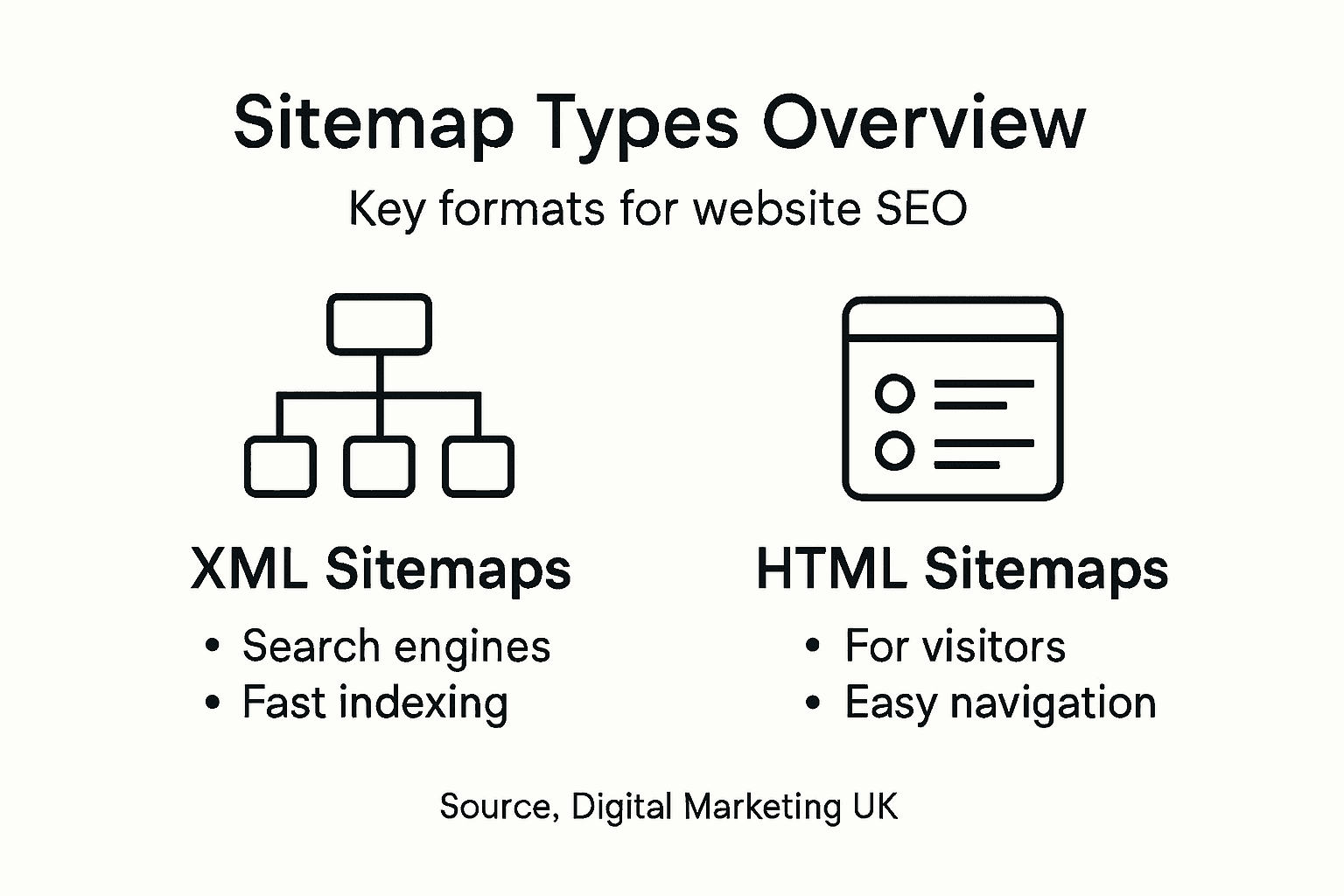
The main division is simple: some sitemaps target search engines, others target people. Both matter for different reasons.
XML Sitemaps for Search Engines
XML sitemaps are the technical backbone of sitemap strategy. These files speak directly to Google, Bing, and other search engines in a language they understand.
XML sitemaps contain:
- Complete lists of your URLs
- Last modification dates for each page
- Priority levels (which pages matter most)
- Regional variants if you target multiple countries
- Change frequency hints
XML sitemaps improve discoverability and speed up indexation, especially for large sites or newly launched websites. When you have hundreds or thousands of pages, an XML sitemap ensures nothing gets missed during crawling.
Specialised XML Sitemaps
Beyond standard XML sitemaps, you can create targeted versions for specific content types.
Media sitemaps list video and image content with metadata. If your site features product videos or image galleries, these sitemaps help search engines index rich media properly.
News sitemaps are for publishers. If you publish regular news articles, this sitemap tells Google about recent content immediately.
Image sitemaps specifically highlight photographs and graphics with titles and captions, improving image search visibility.
These specialised versions exist because search engines handle different content types differently. A video needs different indexing signals than a standard webpage.
Here is a comparison of sitemap types highlighting their intended users, ideal site scenarios, and primary benefits:
| Sitemap Type | Target User | Best For Site Type | Primary Benefit |
|---|---|---|---|
| XML Sitemap | Search engines | Large or new sites | Ensures full index coverage |
| Media Sitemap | Search engines | Sites with rich media content | Improves video/image indexing |
| News Sitemap | Search engines | News publishers | Accelerates article discovery |
| HTML Sitemap | Human visitors | Large sites with complex menus | Enhances user navigation |
HTML Sitemaps for Human Visitors
HTML sitemaps are purely for people, not search engines. They’re a webpage listing your site’s important pages in an organized hierarchy.
HTML sitemaps improve user experience by:
- Providing an alternative navigation method
- Helping visitors find pages quickly
- Reducing bounce rates on site searches
- Improving internal linking structure
Think of it as a sitemap page on your website—like a page map or directory. It’s particularly useful for large sites where traditional navigation menus become overwhelming.
Which Types Does Your Business Need?
For most small-to-medium UK businesses, start with an XML sitemap. This is non-negotiable for SEO success.
Add an HTML sitemap if your site exceeds 100 pages or has complex navigation. Include specialised XML sitemaps only if you have significant video, image, or news content.
The right sitemap type depends on your content volume and how you want search engines to discover your pages.
Pro tip: Use your content management system to auto-generate your XML sitemap, then manually create an HTML sitemap page linked from your footer so both search engines and visitors can find it easily.
How Sitemaps Improve Search Engine Rankings
Sitemaps don’t directly boost your rankings, but they create the conditions for better rankings to happen. Think of them as a foundation that supports your entire SEO strategy.
Here’s how the mechanism works. When search engines crawl your site efficiently, they discover more pages, index them faster, and understand your content better. All of this contributes to improved visibility.

Faster Discovery and Complete Indexing
Sitemaps facilitate faster and more complete discovery of pages by search engines, ensuring that important content gets indexed. Without a sitemap, Google relies on finding your pages through internal links alone.
This creates problems for:
- New websites with few external links
- Sites with pages buried deep in navigation
- Large sites with thousands of URLs
- Content with limited internal linking
A sitemap acts as a shortcut. Instead of waiting for Google to stumble upon your pages, you’re handing them a direct map. This is particularly valuable for UK businesses launching new sites or adding significant new content sections.
Guiding Crawlers to What Matters Most
Sitemaps let you communicate priority levels to search engines. You tell Google which pages matter most by assigning priority scores from 0.0 to 1.0.
You also specify last modification dates. When Google sees that a page was updated recently, it knows to recrawl and re-evaluate that content for rankings. This signals that your site stays current and relevant.
Crawlers then focus their limited resources on pages that matter most. For a small-to-medium business competing against larger competitors, this efficiency advantage counts.
Improving Crawl Efficiency for Complex Sites
Complex site structures create crawling challenges. Pages lacking backlinks often get overlooked. Sitemaps solve this directly.
Sitemaps are essential for sites with complex structures or pages lacking backlinks, thus improving crawl efficiency and overall SEO success. When every important page appears in your sitemap, nothing gets lost in your site’s architecture.
This translates to:
- More pages indexed from your site
- Better chances for secondary and tertiary pages to rank
- Faster recrawling when you publish updates
- Improved overall site visibility in search results
The Ranking Connection
Remember: sitemaps don’t rank pages directly. Your content quality, search engine ranking factors, backlinks, and user experience do that.
But sitemaps remove barriers to ranking. They ensure Google discovers your content, understands its importance, and crawls it regularly. Without these foundations in place, even excellent content struggles to rank.
Sitemaps create the technical conditions for your content quality and SEO efforts to actually work.
Pro tip: Submit your sitemap to Google Search Console and monitor the “Coverage” report to identify any pages Google can’t index, then fix those issues to maximise your ranking potential.
Integrating Sitemaps for Small Business Sites
Small business owners often assume sitemaps are complicated to create and maintain. They’re not. In fact, getting a sitemap in place is one of the quickest wins you can achieve for SEO.
The good news: most platforms automate this entirely. You don’t need technical expertise or a developer. You need a plan and thirty minutes of your time.
Choosing Your Sitemap Solution
Start by identifying what your site runs on. Your platform determines your easiest path forward.
WordPress sites: Use plugins like Yoast SEO or Rank Math. Installation takes minutes, and the plugin generates your sitemap automatically.
Shopify stores: Sitemaps are built-in. They’re already being generated without you doing anything.
Custom websites: Use online sitemap generators like XML-Sitemaps.com or Screaming Frog to create your file, then upload it to your server.
Squarespace, Wix, or other platforms: Check your settings—most modern platforms auto-generate sitemaps.
The key is this: submitting sitemaps to search engines supports indexing and visibility, helping small businesses compete effectively. You don’t need a perfect solution. You need a working one.
To help small businesses select the most appropriate sitemap solution, see the summary below:
| Platform Type | Easiest Sitemap Approach | Technical Skill Needed | Typical Maintenance Method |
|---|---|---|---|
| WordPress | Use an SEO plugin | Low | Automatic via plugin |
| Shopify | Built-in generation | None | Automatic |
| Custom Website | Use an online generator | Moderate | Manual upload required |
| Wix/Squarespace | Enable built-in setting | None | Automatic |
Creating Your Sitemap
Once you’ve chosen your tool, creating your sitemap is straightforward.
For plugin-based solutions, activation is automatic. The plugin crawls your site, identifies all pages, and creates the XML file.
For online generators, you enter your domain, let the tool scan your site, and download the XML file. Upload it to your site’s root directory.
For built-in generators (Shopify, Wix), you simply enable the feature in settings.
Then set priority levels. Homepage gets highest priority (1.0). Service pages get medium priority (0.8). Blog posts get lower priority (0.6). This tells Google what matters most.
Submitting Your Sitemap
Creating a sitemap means nothing if Google doesn’t know about it. You must submit it.
Open Google Search Console:
- Go to your property
- Click “Sitemaps” in the left menu
- Paste your sitemap URL (usually yourdomain.com/sitemap.xml)
- Click “Submit”
Repeat for Bing Webmaster Tools. Both search engines give you reports showing how many pages they’ve indexed from your sitemap.
Keeping Your Sitemap Updated
Maintaining updated sitemaps aids discovery of new or changed content which is crucial for growing your online presence. Set a reminder to regenerate your sitemap quarterly, especially if you’re actively publishing new content.
Plugin-based solutions do this automatically. Manual generators require you to re-run the tool periodically.
Check Search Console monthly to confirm Google’s crawling your new pages. Low submission numbers signal a problem worth investigating.
Small businesses gain competitive advantage through consistent sitemap maintenance, not complexity.
Pro tip: Set up a quarterly calendar reminder to check your Google Search Console sitemap coverage report; if indexed page counts aren’t growing with your content, regenerate your sitemap or investigate indexation issues immediately.
Mistakes to Avoid When Creating Sitemaps
Even straightforward tasks can go wrong when you’re not paying attention. Sitemap creation is no exception. Small errors compound into serious indexation problems that cost you visibility for months.
The good news: most mistakes are preventable if you know what to watch for.
Including Pages You Should Exclude
This is the biggest sitemap mistake. Many businesses accidentally list pages that shouldn’t be indexed at all.
Common sitemap mistakes include excluding important pages by accidentally noindexing them, including non-canonical or redirected URLs. When you include redirected pages, you’re wasting Google’s crawl budget on outdated content.
Pages to exclude from your sitemap:
- Duplicate pages (same content, different URLs)
- Pages marked with noindex tags
- Redirected or 404 pages
- Login or password-protected pages
- Printer-friendly versions
- Pagination pages (page 2, page 3 of results)
- Admin or staging pages
Including these dilutes your sitemap’s effectiveness. Google crawls them instead of your actual important content.
Failing to Submit Your Sitemap
Creating a sitemap is only half the job. You must actively submit it to search engines.
Many business owners generate their sitemap, pat themselves on the back, and forget about it. Google doesn’t automatically know your sitemap exists. You have to tell them.
Submit to Google Search Console and Bing Webmaster Tools. Without submission, your sitemap sits on your server unused.
Neglecting Updates After Site Changes
Your sitemap becomes outdated the moment your site changes. Adding new pages, deleting old ones, or restructuring content means your sitemap no longer reflects reality.
Improper formatting, missing metadata, and not updating sitemaps after site changes reduce crawling efficiency. When Google revisits your sitemap and finds pages listed that no longer exist, trust degrades.
Set a schedule. Update your sitemap whenever you:
- Publish new content
- Delete pages
- Change URL structures
- Reorganise site navigation
- Launch new site sections
Plugin-based solutions handle this automatically. Manual sitemaps require quarterly regeneration at minimum.
Formatting and Metadata Errors
XML sitemaps follow strict formatting requirements. Broken XML syntax causes search engines to reject your entire file.
Common formatting errors include:
- Incorrect XML tags or structure
- Missing URLs or incomplete data
- Improperly formatted dates
- Exceeding file size limits (50MB maximum)
Validate your XML using online validators before submission. A malformed sitemap provides zero value.
Not Monitoring Your Sitemap Performance
Submitting your sitemap isn’t the end. You need to monitor whether it’s actually working.
Check Google Search Console monthly. Look at coverage reports showing how many pages Google successfully indexed from your sitemap. If numbers stagnate or decline, investigate immediately.
Sitemap mistakes often go unnoticed until they’ve already damaged your indexation performance.
Pro tip: Audit your sitemap quarterly using Google Search Console’s coverage report; if you see “Excluded” or “Not indexed” pages that should be ranking, remove them from your sitemap and check their noindex tags.
Unlock the Full Potential of Your Website with Expert Sitemap Strategies
If you are struggling with making sure search engines find and index every important page on your site or worried that poor sitemap management is holding back your SEO success, you are not alone. Many business owners face challenges like incomplete indexation, neglected sitemap updates, and inefficient crawl budgets. At Kickass Online, we understand these pain points and use proven techniques such as optimised XML sitemaps, tailored internal linking, and ongoing sitemap maintenance to accelerate your website’s visibility and ranking.

Take control of your digital presence today by partnering with a trusted digital marketing agency that specialises in crafting customised solutions for small and medium-sized businesses. With our expert team, you benefit from a dedicated approach that ensures your sitemap and overall SEO structure work seamlessly together to boost crawl efficiency, enhance search engine understanding, and ultimately deliver more qualified traffic. Visit Kickass Online now and schedule your personalised consultation to start turning your website into a high-performing asset.
Frequently Asked Questions
What is the purpose of a sitemap?
A sitemap serves as a map for search engines, listing important pages and content on your website to enhance crawling efficiency and improve indexation.
How do sitemaps improve SEO for my website?
Sitemaps facilitate faster discovery and indexing of your pages by helping search engines find all important content, which can improve your site’s visibility in search results.
Are sitemaps necessary for all websites?
Not all websites require a sitemap. Small sites with fewer than 500 pages and effective internal linking may not need one, while larger or complex sites often benefit from having a sitemap.
What types of sitemaps should I consider for my website?
You should start with an XML sitemap for search engines. Additionally, an HTML sitemap can be beneficial for users if your site has complex navigation, while specialised sitemaps like media or news sitemaps are helpful if you have specific content needs.
Recommended
- Step by Step SEO Guide for Boosting Business Rankings | Kickass Online
- 7 Essential SEO Factors Every Business Should Master | Kickass Online
- Onsite SEO: Boosting Website Visibility and Rankings | Kickass Online
- What Is Site Architecture and Why It Matters | Kickass Online
- Creating Searchable PDFs: Best Practices for 2025 Workflow -


Book A Discovery Call
Stay Connected