What is user interface: a guide to improving usability

Many business owners believe user interface is simply about making a website look attractive. This misconception costs them dearly in lost conversions and frustrated visitors. User interface determines how customers interact with every element on your site, from navigation menus to checkout buttons. Understanding UI fundamentals transforms your website from a digital brochure into an engaging platform that guides visitors towards meaningful actions. This guide explains what user interface truly means, why it matters for your business, and how to apply proven UI principles to boost customer engagement and sales.
Table of Contents
- Understanding The Basics Of User Interface
- Core Principles Of Effective User Interface Design
- How User Interface Impacts Business Website Performance
- Applying User Interface Design To Your Website In 2026
- Enhance Your Website With Expert UI And Web Design Services
- Frequently Asked Questions
Key takeaways
| Point | Details |
|---|---|
| UI shapes interactions | User interface affects how visitors navigate and engage with your website |
| Design drives results | Good UI design improves usability and increases customer engagement |
| Multiple components | UI includes visual elements, layout structures, and interactive features |
| Business impact | Applying UI principles increases user satisfaction and conversion rates |
| Stay current | Regular updates based on UI trends keep websites competitive |
Understanding the basics of user interface
User interface refers to the visual elements and interactive features a user engages with on a digital product. Think of UI as the bridge between your business and your customers. Every button, menu, form field, and icon represents a point where visitors make decisions about continuing their journey on your site.
UI encompasses several critical components that work together to create seamless interactions. These elements include:
- Navigation menus that guide visitors through your content
- Buttons that trigger actions like purchases or form submissions
- Icons that communicate functions visually
- Form fields where users input information
- Layout structures that organise content logically
- Colour schemes and typography that enhance readability
Many people confuse user interface with user experience, but they serve distinct purposes. UI focuses specifically on the visual and interactive design elements visitors see and touch. UX encompasses the entire journey a visitor takes, including emotions, perceptions, and overall satisfaction. You can have beautiful UI that creates poor UX if the journey feels confusing or frustrating.
For small to medium businesses, mastering web development essentials including UI design directly impacts your bottom line. Your interface either removes friction from the buying process or adds obstacles that send customers to competitors. A well designed interface feels invisible because visitors accomplish their goals without thinking about the mechanics.
Consider how you interact with your favourite websites. You probably don’t notice the interface because everything works intuitively. That seamless experience results from careful UI design decisions. Poor UI, conversely, announces itself through confusion, misclicks, and abandoned tasks. Understanding these fundamentals helps you evaluate your current website and identify improvement opportunities.
Core principles of effective user interface design
Applying key user interface principles can significantly enhance website usability and customer satisfaction. These principles guide every design decision from button placement to colour selection. Mastering them transforms your website from functional to exceptional.
Usability stands as the foundation of effective UI. Your interface should help visitors accomplish goals with minimum effort and maximum clarity. Every element must serve a clear purpose. Remove anything that distracts from core user tasks. Consistency ensures visitors learn your interface quickly. Use the same button styles, colours, and layouts throughout your site. When elements look similar, they should behave similarly.

Responsiveness adapts your interface to different devices and screen sizes. Over 60% of web traffic now comes from mobile devices. Your UI must work flawlessly whether visitors use phones, tablets, or desktops. Clarity eliminates ambiguity about what actions elements perform. Labels should describe functions precisely. Buttons should look clickable. Links should appear distinct from regular text.
Accessibility ensures everyone can use your interface regardless of abilities. This includes proper colour contrast, keyboard navigation, and screen reader compatibility. Designing for accessibility often improves usability for all visitors.
| Good UI practice | Poor UI practice |
|---|---|
| Clear navigation with descriptive labels | Vague menu items requiring guesswork |
| Consistent button styles throughout | Different button designs on each page |
| Adequate white space for readability | Cluttered layouts overwhelming visitors |
| Fast loading interactive elements | Slow responses creating frustration |
| Mobile optimised touch targets | Tiny buttons impossible to tap accurately |
Critical UI design principles include:
- Prioritise content hierarchy to guide attention
- Maintain visual balance across layouts
- Use whitespace strategically to reduce cognitive load
- Ensure interactive elements provide immediate feedback
- Design for thumb reach on mobile devices
- Limit choices to prevent decision paralysis
Pro Tip: Prioritise mobile UI design first, then scale up to desktop. This approach forces you to focus on essential elements and creates stronger foundations for all device sizes.
These principles work together to create interfaces that feel natural and effortless. When visitors can accomplish their goals without conscious thought about the interface, you’ve achieved excellent UI design. Test your current website against these principles to identify where improvements would deliver the greatest impact on user satisfaction.
How user interface impacts business website performance
Well designed user interfaces increase conversion rates and improve customer loyalty for SMEs. The quality of your UI directly influences whether visitors become customers or abandon your site for competitors. Understanding this connection helps justify investment in professional design.
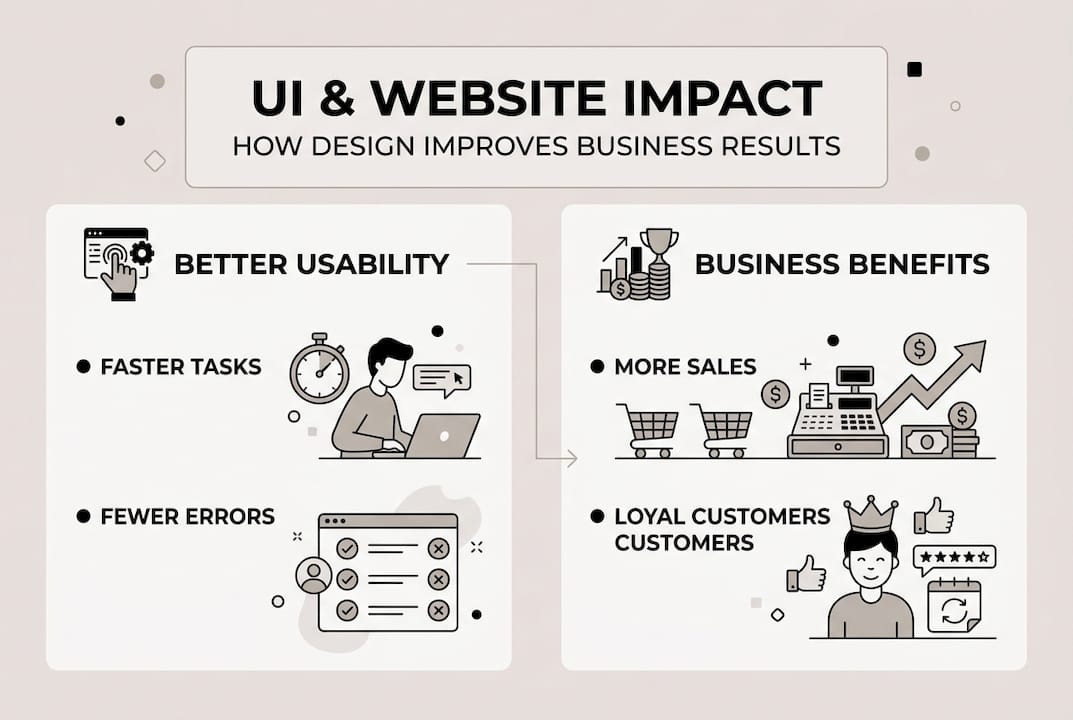
Your interface shapes visitor behaviour at every interaction point. A confusing checkout process causes cart abandonment. Unclear navigation prevents visitors from finding products. Slow loading buttons create frustration that damages brand perception. Each UI friction point represents lost revenue and missed opportunities.
Consider the measurable impact of UI improvements:
| Metric | Before UI improvement | After UI improvement | Change |
|---|---|---|---|
| Average session duration | 1.2 minutes | 3.4 minutes | +183% |
| Bounce rate | 68% | 42% | -26 points |
| Conversion rate | 1.8% | 4.2% | +133% |
| Mobile completion rate | 34% | 67% | +97% |
These improvements translate directly to business growth. Higher engagement means more opportunities to communicate value. Lower bounce rates indicate visitors find what they need quickly. Increased conversions generate more revenue from existing traffic levels.
Key business benefits from investing in UI design include:
- Longer visit durations allowing more touchpoints with your brand
- Reduced bounce rates keeping visitors engaged with your content
- Higher conversion rates turning more visitors into customers
- Improved customer satisfaction creating repeat business
- Stronger brand perception through professional presentation
- Decreased support costs as intuitive interfaces reduce confusion
- Competitive advantage over businesses with poor UI
“Businesses that prioritise user interface design see 200% higher conversion rates compared to those with poorly designed interfaces, with the gap widening as mobile usage increases.”
Your UI quality affects how digital marketing influences consumer behaviour throughout the customer journey. Even brilliant marketing campaigns fail when they direct traffic to websites with frustrating interfaces. The best advertising cannot compensate for poor UI that prevents visitors from completing desired actions.
Pro Tip: Review your website analytics monthly to identify pages with high bounce rates or low conversion rates. These metrics often signal UI problems requiring attention. Combine quantitative data with qualitative feedback from actual customers to pinpoint specific improvements.
Small changes create significant impacts. Simplifying a form might increase completions by 40%. Improving button visibility could boost clicks by 60%. These incremental improvements compound over time, dramatically enhancing overall website performance and business results.
Applying user interface design to your website in 2026
Staying updated with current web development and UI design trends is essential for competitive websites in 2026. Technology and user expectations evolve constantly. What worked brilliantly three years ago may feel outdated today. Regular UI updates keep your website relevant and effective.
Current UI trends shaping 2026 include minimalist designs that prioritise content over decoration. Visitors want information quickly without wading through unnecessary elements. Voice interfaces are becoming standard, allowing hands free interaction. Personalised elements adapt content and layout based on individual user behaviour and preferences. Dark mode options reduce eye strain and accommodate user preferences. Micro interactions provide subtle feedback that makes interfaces feel responsive and alive.
Follow these steps to assess and improve your website’s UI:
- Conduct a comprehensive audit of your current interface across all devices
- Identify pain points where visitors struggle or abandon tasks
- Prioritise improvements based on business impact and implementation difficulty
- Create prototypes or mockups of proposed changes
- Test designs with actual users before full implementation
- Roll out changes systematically whilst monitoring performance metrics
- Gather ongoing feedback to guide continuous refinement
Testing proves critical for successful UI improvements. What seems intuitive to you might confuse your customers. User testing reveals unexpected problems and validates design decisions. Even informal testing with five users uncovers most usability issues.
Valuable tools and resources for UI design include:
- Heatmap software showing where visitors click and scroll
- User testing platforms connecting you with target audience members
- Analytics tools tracking behaviour patterns and conversion funnels
- Wireframing applications for planning layouts before development
- Accessibility checkers ensuring compliance with standards
- A/B testing platforms comparing design variations
Keeping pace with latest web development trends ensures your UI remains competitive. Subscribe to design publications, study successful websites in your industry, and attend webinars focused on UI best practices. Learning never stops in digital design.
Pro Tip: Collaborate with professional web designers who specialise in UI for best results. They bring expertise, objectivity, and efficiency that accelerates improvements whilst avoiding costly mistakes. Professional designers understand how to balance aesthetic appeal with functional performance.
Implementing UI improvements requires balancing ambition with practicality. Start with changes delivering maximum impact for minimum effort. Build momentum through quick wins before tackling complex redesigns. Document decisions and results to guide future improvements. Your interface should evolve continuously rather than remaining static between major overhauls.
Enhance your website with expert UI and web design services
Transforming your website’s user interface requires expertise, time, and ongoing attention. Partnering with professionals accelerates results whilst freeing you to focus on core business activities. Expert designers bring specialised knowledge of current best practices and proven methodologies.

Professional website design services deliver interfaces optimised for your specific business goals and target audience. Specialists understand how to balance aesthetic appeal with functional performance. They apply testing methodologies that validate design decisions before implementation. Staying current with web development trends through professional partners ensures your website remains competitive as technology and expectations evolve.
Comprehensive services available include:
- Complete interface redesigns improving usability and conversions
- Mobile optimisation ensuring flawless performance across devices
- Accessibility audits and improvements expanding your audience reach
- Ongoing updates keeping your UI aligned with current standards
Discover easy web design tips that complement professional services, helping you maintain and enhance your interface between major updates.
Frequently asked questions
What are the main components of a user interface?
User interface components include buttons that trigger actions, navigation menus guiding visitors through content, icons communicating functions visually, and text fields for information input. Layouts organise these elements logically whilst colour schemes and typography enhance readability. Interactive elements like sliders, dropdowns, and modals provide dynamic functionality that responds to user actions.
How often should I update my website’s user interface?
Review your website’s UI annually or whenever business goals change significantly. Technology and user expectations evolve constantly, making regular assessments essential. Adjust based on emerging web design trends, user feedback, and performance metrics indicating friction points. Minor refinements should happen continuously whilst major redesigns typically occur every two to three years.
What is the difference between user interface and user experience?
User interface focuses specifically on visual and interactive design elements visitors see and touch, including buttons, menus, forms, and layouts. User experience encompasses the entire journey visitors take, including emotions, perceptions, and overall satisfaction beyond just the interface. Excellent UX requires good UI, but good UI alone doesn’t guarantee positive UX if the broader experience feels frustrating or confusing.
Can good user interface design improve my website’s conversion rates?
Yes, effective UI design significantly enhances conversion rates by removing friction from the customer journey. Clear navigation helps visitors find products quickly. Intuitive forms reduce abandonment during checkout. Responsive designs work flawlessly across devices. These improvements build trust and make completing desired actions effortless, directly increasing the percentage of visitors who become customers and generating measurable business growth.
Recommended


Book A Discovery Call
Stay Connected