What Is Umbraco and Why It Matters for Business
Managing a growing business in Milton Keynes often means juggling multiple websites, product categories, or regional branches while striving for brand consistency and efficient workflows. The challenge is finding a content management approach that grants both structure and flexibility, without overwhelming your editorial team. Discover how Umbraco’s blueprint-driven design streamlines control over your digital content, providing the tailored functionality and reliable performance needed to support business growth and improve your online presence.
Table of Contents
- Defining Umbraco: Core CMS Concepts
- Key Types of Umbraco Solutions Explained
- How Umbraco Works for Business Websites
- Advantages and Drawbacks for SME Adoption
- Comparing Umbraco to Other CMS Options
Key Takeaways
| Point | Details |
|---|---|
| Structured Content Management | Umbraco requires pre-defined Document Types for content, ensuring organised data and consistent editorial processes. |
| Flexible Deployment Options | Businesses can choose between traditional, headless, custom, or hybrid solutions to best match their operational needs. |
| Community and Customisation | With strong community support and an open-source platform, Umbraco allows extensive customisation tailored to business requirements. |
| Scalability and Growth | Umbraco grows with your business, seamlessly handling multiple sites or expanded content needs without major overhauls. |
Defining Umbraco: Core CMS Concepts
Umbraco operates differently from many other content management systems. Instead of letting you create content first and figure out structure later, Umbraco requires you to define your content before you start building anything. This approach gives you complete control over what data gets stored and how editors interact with it.
At the heart of this system sits the Document Type. Think of a Document Type as a blueprint for your content. Before your team publishes an article, product page, or news post, you first create a Document Type that specifies exactly what fields that content needs. A blog post Document Type might include fields for the article headline, body text, featured image, publication date, and author name. Your product page Document Type would look completely different, with fields for product name, price, specifications, and stock levels.
Document Types act as blueprints that organise how content gets structured and edited. They include field groups to categorise related information, templates that control how content displays on your website, and rules about where new content can live in your content tree. You can even assign custom icons to different content types, making navigation simpler for your editorial team.
Umbraco itself is a modern, open-source CMS built on ASP.NET Core that balances simplicity for editors with flexibility for developers. Your team creates, edits, and publishes content without touching code, while you maintain complete control over how everything works behind the scenes. Whether you need a traditional server-rendered website or a headless setup delivering content across multiple channels, Umbraco adapts to your requirements.
This structured approach prevents the chaos of uncontrolled content. Editors cannot accidentally add fields that do not belong to a page type, and content follows consistent patterns across your entire site. For a Milton Keynes business managing multiple locations or product categories, this consistency matters enormously when maintaining brand quality and search engine optimisation.
Pro tip: Map out your content types before building your Umbraco site, considering how editors will work and what data your site actually needs to display and function effectively.
Key Types of Umbraco Solutions Explained
Umbraco is not a one-size-fits-all system. Depending on your business goals, you can deploy it in several different ways, each suited to specific needs. Understanding these different solution types helps you choose the right approach for your Milton Keynes business.
The first major approach is the traditional website. This is what most businesses think of when they imagine a website: visitors arrive at your domain, see pages rendered on your server, and navigate through content. Umbraco handles this beautifully, managing your content through a user-friendly backoffice whilst your developers build the frontend experience. Your team publishes articles, updates product information, and modifies pages without touching code.
The second approach is headless Umbraco. Rather than rendering pages on your server, headless setups use Umbraco purely as a content repository. Your content gets delivered via APIs to whatever frontend you choose: a mobile app, a single-page web application, a smartwatch interface, or even a voice assistant. This flexibility matters enormously if you need content across multiple channels or platforms simultaneously.
Umbraco’s modular architecture supports both traditional and headless approaches, with layered infrastructure that handles content repositories, caching, and media management. This extensibility means developers can build custom packages tailored to your exact requirements rather than forcing your business into rigid templates.
Then there are custom solutions. Perhaps you need multilingual support across regional websites. Maybe you require flexible content blocks that editors can rearrange freely, or sophisticated media management for handling thousands of product images. Umbraco handles these scenarios through its developer-friendly architecture, allowing you to build precisely what your business needs.
For growing businesses, the hybrid approach combines elements of all three. You might use traditional rendering for your main website whilst simultaneously exposing content via APIs to power a mobile application or third-party integrations. This approach scales with your ambitions without requiring a complete platform replacement.
Here is a summary of Umbraco solution types and their ideal business use cases:
| Solution Type | Ideal For | Main Benefit | Common Scenario |
|---|---|---|---|
| Traditional | Brochure sites & business web presence | Simple editorial workflow | Company website |
| Headless | Multi-platform content delivery | API-driven flexibility | Mobile app, web app content |
| Custom | Businesses with unique requirements | Advanced customisation | Multilingual e-commerce site |
| Hybrid | Fast-growing or complex businesses | Scalable, cross-channel publishing | Website + mobile integration |
Pro tip: Start by mapping your content delivery channels before choosing your Umbraco solution type; if you need content on multiple platforms, headless or hybrid approaches save development time later.
How Umbraco Works for Business Websites
Umbraco operates by separating content management from website design. Your editorial team works in one space whilst your developers build the customer experience in another. This separation creates efficiency, security, and flexibility that traditional website builders cannot match.
When you set up Umbraco, your developers first create the structure. They define Document Types (the blueprints we discussed earlier), set up templates that control how pages display, and configure workflows that match your business processes. Once this foundation exists, your team never touches code again. They simply create and publish content through the intuitive backoffice interface.

The backoffice is where your day-to-day work happens. Think of it as your content control centre. Editors log in, create new pages or blog posts, upload images, and schedule when content goes live. Umbraco delivers editorial controls including versioning, scheduled publishing, and multilingual capabilities that meet diverse business needs without requiring technical knowledge.
Versioning is particularly valuable. Every time you modify a page, Umbraco keeps a record of previous versions. If a team member makes a mistake or you want to revert to an earlier version, you can do so instantly. This safety net prevents panic when changes go wrong.
Scheduled publishing changes how you manage content timing. Rather than publishing immediately, you can set content to go live at a specific date and time. Your marketing team schedules promotional pages weeks in advance. Your news section automatically publishes press releases at precisely the right moment. No more manual updating at midnight on campaign launch dates.
Multilingual functionality means a single Umbraco installation can power websites in multiple languages. Regional offices across the UK can manage their own content whilst maintaining consistent branding and structure. Translators work independently without interfering with editorial processes.
Behind the scenes, Umbraco handles caching, security, and performance. Your website remains fast and secure even as content grows. The open-source nature means your developers can customise anything that does not quite fit your workflow, rather than compromising to match rigid software constraints.
Pro tip: Plan your editorial workflow and content approval process before implementation; Umbraco’s flexibility means you can build processes that match your actual business practices rather than adapting to predetermined constraints.
Advantages and Drawbacks for SME Adoption
Umbraco offers significant benefits for small and medium-sized businesses, but it also comes with considerations that merit careful thought. Understanding both sides helps you make an informed decision about whether it suits your business.
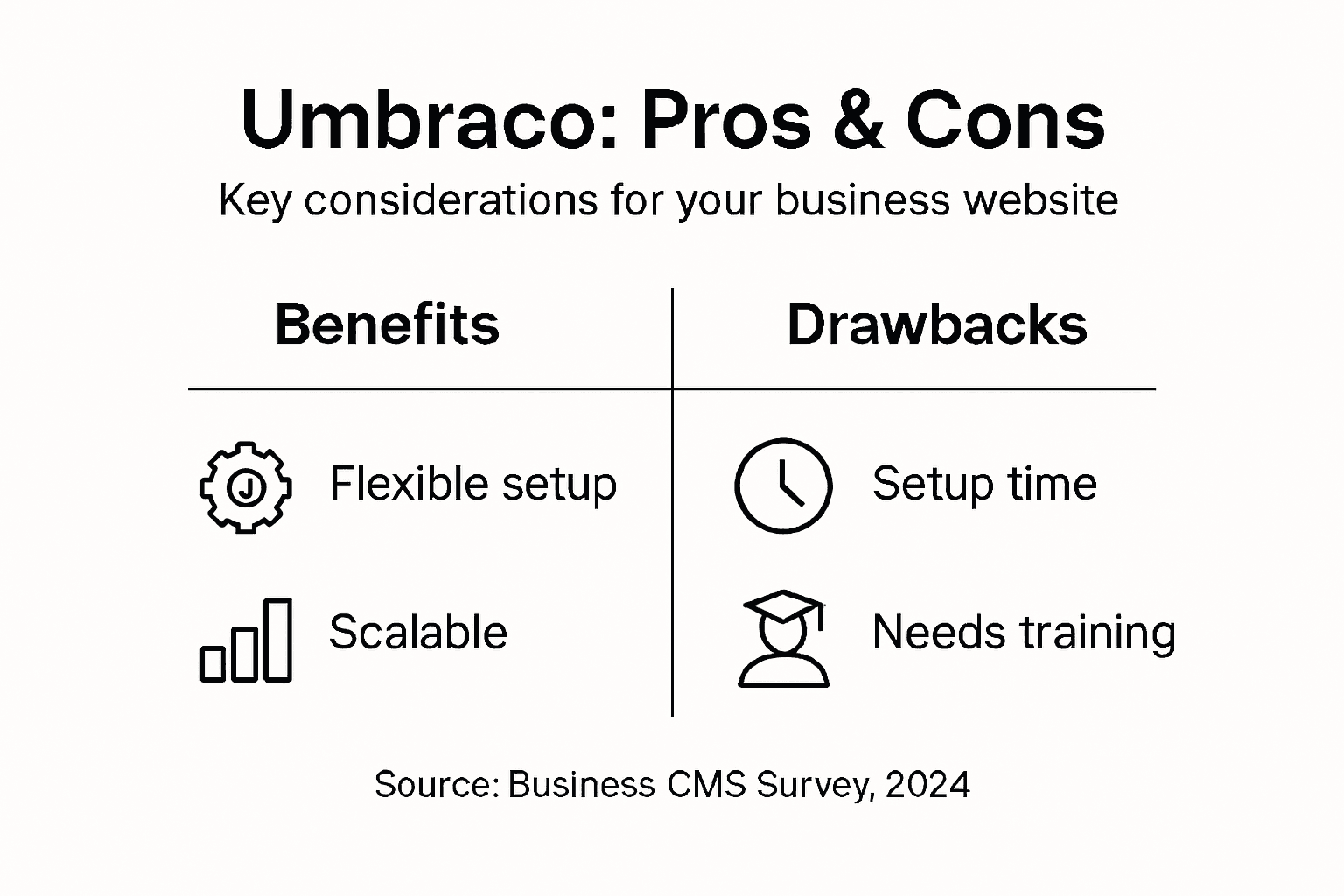
On the advantage side, Umbraco provides genuine flexibility. Your business is unique, so your website should be too. Rather than forcing your workflows into predetermined templates, Umbraco lets your developers build precisely what you need. If your Milton Keynes business requires specific content types, approval processes, or integrations with existing systems, Umbraco can accommodate these without expensive workarounds.
Scalability matters as your business grows. Umbraco grows with you. Whether you manage one website or dozens across multiple regional offices, the platform handles expansion without requiring a complete rebuild. Your initial investment protects your future growth.
The community support is substantial. Active developers worldwide contribute packages, share solutions, and help solve problems. When you hit a technical obstacle, community forums and documentation get you answers quickly. Umbraco provides strong community support and extensibility through custom packages, meaning your developers are never working in isolation.
Your editors benefit from an intuitive interface. Non-technical staff can publish content, manage media, and schedule posts without training courses or external help. This simplicity reduces dependency on developers for routine content tasks.
The drawbacks centre around setup complexity and investment. Umbraco requires developer time to configure properly. Unlike drag-and-drop website builders, you cannot launch an Umbraco site in an afternoon. Your developers need time to build Document Types, templates, and workflows that match your business. This upfront investment ranges from weeks for basic sites to months for complex implementations.
Training matters too. Whilst the interface is user-friendly, your editors need guidance on how your specific implementation works. Budget time for proper onboarding so your team uses Umbraco effectively rather than stumbling through confusion.
For businesses with minimal technical support, these considerations loom larger. If you lack an in-house developer or budget for ongoing support, Umbraco becomes more complex. However, agencies like Kickass Online provide managed support and maintenance, removing this burden.
Pro tip: Calculate your total cost of ownership including setup time, training, and ongoing maintenance before deciding; for many SMEs, the flexibility and long-term scalability justify the initial investment within 18 to 24 months.
Comparing Umbraco to Other CMS Options
Umbraco sits in a distinctive position among content management systems. To understand whether it suits your needs, it helps to see how it compares to other popular options your business might consider.
WordPress dominates the CMS market. It is incredibly easy to set up, has thousands of plugins, and costs very little to start. However, WordPress was built for blogging, not complex business applications. For a Milton Keynes business needing sophisticated content workflows, custom integrations, or strict security requirements, WordPress quickly becomes restrictive. You end up installing dozens of plugins, each adding complexity and potential security vulnerabilities. Performance also suffers as your website grows.
Drupal targets developers and handles complex content structures beautifully. But Drupal demands serious technical expertise. Your team needs experienced Drupal developers, and ongoing maintenance becomes expensive. For smaller businesses lacking dedicated development resources, Drupal often proves overkill.
Umbraco occupies the middle ground. It offers flexibility and developer control whilst maintaining an intuitive editor interface, balancing power with usability. Unlike WordPress, you are not constrained by plugin limitations. Unlike Drupal, you do not need an army of specialists to maintain it.
Proprietary platforms like Sitecore or Kentico provide enterprise features but demand substantial licensing fees and developer investment. For an SME, these costs quickly become prohibitive unless you are managing truly massive operations.
The technology foundation matters too. Umbraco’s open-source .NET framework base ensures no licence fees, scalability, and strong integration capabilities. If your business already uses Microsoft technologies, Umbraco integrates seamlessly into your existing infrastructure.
Cost differences are substantial. WordPress costs almost nothing upfront. Umbraco requires developer investment but zero licensing costs forever. Proprietary systems charge annual fees that compound over time. After five years, the total cost of ownership often favours Umbraco significantly.
Security and community support matter when choosing a platform. Umbraco benefits from regular security updates and an active developer community contributing solutions. You get enterprise-grade security without enterprise-grade pricing.
For quick reference, here is a comparison between popular CMS platforms for SMEs:
| Platform | Initial Cost | Technical Skills Needed | Customisation Level | Scalability |
|---|---|---|---|---|
| WordPress | Very low | Minimal for basics | Limited without plugins | Moderate |
| Drupal | Low | High developer expertise | Extensive functionality | High |
| Umbraco | Medium setup time | Moderate .NET knowledge | Full control over site | Excellent |
| Proprietary | High licence fees | Advanced team required | Highly configurable | Enterprise-grade |
Pro tip: Evaluate CMS options by your specific needs rather than default popularity; WordPress works brilliantly for simple blogs, but Umbraco’s flexibility better serves businesses requiring custom workflows and long-term scalability.
Unlock the Full Potential of Your Business Website with Umbraco and Kickass Online
Understanding the challenges of setting up and managing Umbraco can be overwhelming. From crafting precise Document Types to choosing the right solution approach—whether traditional, headless, or hybrid—businesses need expert guidance to ensure their website is not only flexible but scalable and secure. At Kickass Online, we specialise in helping small and medium-sized businesses navigate these complexities. We focus on creating customised, high-performing websites that match your unique workflows, content structures, and growth ambitions.

Ready to transform your online presence with a tailored Umbraco solution that puts you in control without the hassle? Discover how our dedicated team delivers professional website design, seamless content management, and expert ongoing support to keep your business ahead. Act now to book your consultation and start building a website that performs as hard as you do. Visit Kickass Online to learn more about our custom web development services and how we can help you optimise for search engines and maintain peak website performance.
Frequently Asked Questions
What is Umbraco?
Umbraco is an open-source content management system (CMS) built on ASP.NET Core. It is designed to help businesses manage their content effectively by providing flexibility for developers and an intuitive interface for editors.
How does Umbraco differ from other content management systems?
Unlike many other CMS platforms, Umbraco requires you to define your content structure before building the site. This approach helps prevent disorganized content and gives you control over how information is presented and edited.
What are the benefits of using Umbraco for business websites?
Umbraco offers flexibility, scalability, and community support. It allows businesses to create customised content workflows, handle multiple websites, and manage training for non-technical editors without the need for extensive technical expertise. This makes it ideal for SMEs looking to grow.
Can Umbraco support multi-platform content delivery?
Yes, Umbraco can be set up in a headless configuration, allowing content to be delivered via APIs to various platforms like mobile apps, web applications, or even IoT devices. This flexibility is beneficial for businesses that operate across multiple channels.
Recommended


Book A Discovery Call
Stay Connected