How to Update Website Content for Better SEO Results

Updating your website can feel daunting when you want to rank higher in Google without losing sight of your unique voice. Clear, purposeful content is what connects Milton Keynes customers to your business, driving both search traffic and trust. By focusing on high-quality, relevant content aligned with your brand messaging, you lay the groundwork for a site that stands out to both your audience and search engines, setting the stage for growth and recognition.
Table of Contents
- Step 1: Assess Website Content Needs
- Step 2: Plan Targeted SEO-Friendly Changes
- Step 3: Edit and Optimise Web Pages
- Step 4: Review Layout and Brand Messaging
- Step 5: Test Updates Across Devices
Quick Summary
| Key Insight | Explanation |
|---|---|
| 1. Assess existing content first | Understand what content is performing well and what is missing to inform your updates effectively. |
| 2. Prioritise impactful changes | Identify high-priority pages needing updates based on keyword search behaviour to maximise effectiveness. |
| 3. Optimise for user experience | Ensure content is useful, easy to read, and visually appealing to engage visitors effectively. |
| 4. Consistent brand messaging matters | Maintain a coherent tone and visual style across all pages to reinforce your brand identity and trust. |
| 5. Test across devices thoroughly | Regularly check website performance on different devices to ensure a seamless user experience and prevent issues. |
Step 1: Assess website content needs
Before making any changes to your website, you need to understand exactly what content your business is missing and what’s already performing well. This assessment becomes your roadmap for all future content updates. Without this clarity, you risk creating new pages that nobody searches for or updating content that already drives results.
Start by looking at your website analytics to identify which pages attract the most visitors and which ones sit quietly in the background. You might be surprised to find that your detailed product comparison page attracts far more traffic than your homepage, or that blog posts about specific problems attract more qualified leads than your services pages. This data tells you what your audience actually wants, not what you think they want. Next, consider what your customers are searching for before they find you. Are they looking for solutions to specific problems? Are they researching your industry generally? Are they ready to buy, or still learning? Understanding search intent helps align your content with what people truly need. When you match your content to how people actually search, you’re already halfway to better search engine rankings.
Think about your target audience across Milton Keynes and beyond. What questions do they ask? What problems keep them awake at night? A local plumbing business might discover that customers frequently search for emergency leak repair solutions, whilst a software company might find clients searching for implementation guides. Interview your sales team, review customer emails, and check your support tickets for patterns. These conversations reveal the gaps in your content. Once you’ve gathered this information, create a simple spreadsheet listing your existing pages alongside the topics they cover, their current traffic levels, and how well they rank for your target keywords. This becomes your content inventory. You’ll spot duplicated topics, outdated information, and entirely missing subjects that your audience is searching for. The goal here is not perfection but clarity, giving you a solid foundation for deciding which pages deserve updates and where you should add new content.
Professional tip: Run a content audit using Google Search Console to see which of your pages actually appear in search results and how frequently they’re clicked, then cross reference this with your analytics to identify quick wins—pages already getting impressions but low click through rates often need only title tag or meta description improvements to boost traffic significantly.
Below is a summary table outlining common content gaps and their business implications:
| Content Gap Type | Example Scenario | Potential Business Impact | Fix Strategy |
|---|---|---|---|
| Missing topic coverage | No emergency plumbing guide for Milton Keynes | Fewer qualified leads, missed search traffic | Create dedicated new pages |
| Outdated information | Old service descriptions with obsolete pricing | Loss of trust, lower conversion | Update with accurate data |
| Duplicated topics | Multiple blogs on same FAQ | Lower SEO rankings, content confusion | Consolidate and merge content |
| Weak keyword targeting | Service page missing local keywords | Poor visibility in search results | Refine titles, headings, metadata |
Step 2: Plan targeted SEO-friendly changes
Now that you understand what your audience needs, it’s time to plan specific, strategic changes to your website content. This is where you move from analysis to action, creating a roadmap that balances what search engines want with what your visitors actually need to read.
Start by prioritising the pages that will have the biggest impact on your business. If your analysis revealed that customers search for “emergency plumbing near Milton Keynes” but your emergency services page ranks poorly, that’s a priority change. Work through your content inventory and identify which pages need updates because they target valuable keywords but currently underperform. Then consider what new content gaps exist. Perhaps your research showed customers asking questions you’re not currently answering anywhere on your site. These become your new content opportunities. When planning these changes, focus on selecting keywords based on search behaviour rather than guessing what people might search for. Every page you update or create should target specific, researched keywords that match how your audience actually looks for solutions. This doesn’t mean stuffing keywords awkwardly throughout your content. Instead, your keywords should appear naturally in your page titles, opening paragraphs, and headings, supporting rather than dominating the text.
As you plan these changes, remember that you’re optimising for humans first and search engines second. Write content that genuinely helps your reader solve a problem or answer a question. High-quality, relevant content aligned with current SEO expectations means demonstrating your expertise and building trust with your audience. If you’re a local business owner writing about your services, share your experience. If you’re explaining a technical process, be thorough and accurate. Search engines increasingly reward content that shows real authority and trustworthiness. Beyond the main text, plan specific improvements to other elements. Update your meta descriptions to accurately summarise each page in 150 characters or fewer, making them compelling enough that people want to click when they see your page in search results. Refresh your image alt text to include relevant keywords whilst accurately describing what the image shows. Consider adding structured data markup to help search engines understand your content better. If you’re a local service business, this might mean marking up your business information. If you’re publishing articles, mark up the author, publication date, and key facts. Create a simple document listing each page you’ll change, what keywords it targets, what improvements you’ll make, and when you plan to make them. This keeps you accountable and prevents changes from happening haphazardly over months.
Professional tip: Group related changes together by priority level, then tackle high-impact, low-effort updates first—pages already receiving search impressions but with weak meta descriptions or titles often see dramatic click-through rate improvements with minimal work, giving you quick wins that build momentum.
Step 3: Edit and optimise web pages
This is where the real work happens. You now move from planning into actually improving your pages, refining your content so it speaks to both your audience and search engines. The editing process isn’t about rewriting everything from scratch, but rather strategically enhancing what you already have.

Begin with your highest-priority pages. Open one in a document editor so you can work on it freely before updating your website. Read through it as if you were a customer seeing it for the first time. Does it answer the questions your audience actually has? Is it easy to scan, or does it feel like a wall of text? Does it sound like a real person wrote it, or does it feel robotic? These are the things that matter most. Once you’ve assessed the overall quality, start refining specific elements. Your page title should be compelling and include your target keyword naturally. Rather than “Plumbing Services,” aim for something like “Emergency Plumbing in Milton Keynes Available 24 Hours.” Your opening paragraph should immediately tell readers they’re in the right place and hint at what value they’ll get. Break up longer sections with subheadings that use natural language your audience would actually search for. When it comes to keyword placement, match your content carefully to what users are actually searching for rather than forcing keywords in awkwardly. Keywords should appear naturally in your opening sentences, subheadings, and concluding paragraph, but the focus remains on writing for humans first. Avoid repeating the same keyword phrase over and over, which looks suspicious both to readers and search engines. Instead, use variations and related terms that mean the same thing.
Next, attend to the technical elements that search engines rely on. Your meta description is the snippet that appears below your page title in search results, and it should accurately summarise your page in 150 characters or fewer whilst including your main keyword. Make it compelling because people use it to decide whether to click. Update your image alt text to describe what the image shows whilst naturally incorporating relevant keywords. If you have an image of your team installing solar panels, write something like “Kickass Online solar installation team working on a residential rooftop in Milton Keynes” rather than just “image1.jpg.” These details matter because they improve accessibility for people using screen readers and help search engines understand your visual content. As you edit, look for opportunities to add structure. Use bullet points to break up information and make your content easier to scan. Add internal links where relevant, pointing readers to related pages on your site that provide additional value. Consider using conversational language and phrasing that matches how people actually speak, which helps with both readability and emerging voice search compatibility. When you’ve finished editing a page, read it aloud to catch awkward phrasing. Then have someone else read it if possible. Fresh eyes catch problems you’ve become blind to after editing the same content repeatedly.
Professional tip: Update your pages in batches of 5 to 10 rather than one at a time, setting a specific completion date for each batch so the work stays manageable and you see results faster than if you’re trickling out changes over months.
Step 4: Review layout and brand messaging
Whilst you’ve been refining your words and keywords, it’s equally important to step back and look at how your content is presented. Your website layout and brand messaging work together to create an experience that either builds trust or pushes visitors away. This step ensures that as your content improves, the entire presentation supports your message and keeps your brand identity consistent.
Start by examining your page layouts from a user perspective. Does your most important information appear at the top where visitors see it immediately, or is it buried below the fold behind secondary details? Does your call-to-action button stand out, or does it blend into the background? Walk through your pages on both desktop and mobile devices, noting what you notice first on each. The visual hierarchy should guide readers naturally through your content towards the action you want them to take. If you’re a plumbing company, your emergency contact number should be easy to find. If you’re selling software, your free trial button should be prominent. Next, review your brand messaging across all your pages to ensure consistency. Coherent and consistent brand messaging builds recognition and emotional connection that strengthens how visitors perceive your business. Check that you’re using the same tone of voice throughout, whether that’s professional and formal or friendly and approachable. Look at your homepage, your about page, your service pages, and your blog posts. Do they sound like they’re all from the same company, or do they feel disjointed? Are you consistently emphasising the same value proposition? If your marketing emphasises rapid response times, does every page reinforce this, or do some pages ignore it entirely? Your brand voice should be distinctly yours, reflecting who you are and why customers should choose you over competitors.
Pay attention to visual consistency as well. Are you using the same colour scheme throughout, or have some pages drifted from your brand guidelines? Do your images all feel cohesive, or is there a jarring mix of stock photos and professional shots? Are your fonts consistent, or are you using different typefaces on different pages? These details sound minor, but they add up to create either a polished, professional impression or a scattered, amateur one. Consider whether your layout actually supports your messaging. If you’re positioning yourself as a high-end, boutique service, does your design look premium or does it look budget-focused? If you’re emphasising accessibility and inclusivity, are you using clear fonts, sufficient contrast, and descriptive alt text? If you’re targeting busy professionals who want quick answers, is your content scannable with headers and bullet points, or is it dense paragraphs that require serious effort to read? Look at how your updated content flows on the page too. When you’ve added new subheadings or restructured sections, does the visual presentation still work well, or do some sections feel overcrowded whilst others feel sparse? Take screenshots of your main pages and print them out or put them side by side on your screen. This distance helps you see layout problems you might miss when you’re zoomed in on individual elements.
Professional tip: Ask someone outside your business to spend five minutes on your website and tell you what they think your company does and why they should care, without you explaining anything, then compare their answer to your actual brand messaging to identify gaps between intention and perception.
Step 5: Test updates across devices
Before you consider your content updates complete, you need to verify that everything works smoothly across the devices your audience actually uses. A beautifully formatted page on desktop might look like a jumbled mess on a smartphone, and content that loads quickly on a high-speed connection might crawl on mobile networks. Testing catches these problems before they frustrate your visitors and damage your search rankings.
Begin by testing your pages on the devices you know your visitors use. Check your analytics to see what percentage of your traffic comes from desktop, tablet, and mobile devices. Most small to medium-sized businesses in Milton Keynes will find that mobile traffic represents 50 per cent or more of their total visits. Open each updated page on a smartphone, tablet, and desktop computer, viewing it in different browsers if possible. Does your content remain readable on a small screen? Are your images properly sized, or do they appear tiny or stretched? Can visitors tap your buttons easily, or are they frustratingly small and close together? Does your call-to-action remain visible, or do people have to scroll extensively to find it? As you test, pay attention to page load speed. Mobile users are particularly impatient, and pages that take more than three seconds to load typically see visitors leaving. Test your page load speed and performance metrics across devices to identify whether your images are too large, whether your code can be optimised, or whether your hosting needs improvement. Slow pages not only frustrate visitors but also rank lower in search results, so this matters for both user experience and SEO.
Beyond manual testing, use automated tools to check your SEO readiness across devices. Mobile responsiveness checks identify layout issues and SEO factors that you might miss during manual testing, including whether your meta tags are displaying correctly, whether your internal links work properly, and whether your site structure makes sense to search engines. Run these checks on several of your most important pages. If you notice patterns in the results, such as consistently slow page load times or meta descriptions that are too long, make those broad fixes rather than fixing individual pages one by one. Also test your forms and interactive elements if you have them. Can people submit contact forms easily on mobile? Do dropdown menus work properly on touch screens? Do links work where you expect them to? Test clicking through your internal links to ensure you haven’t accidentally broken any when you reorganised your content. If you’ve added or changed images, verify that the alt text displays correctly and that the images load properly on slower connections. A common mistake is having images that look perfect on a fast desktop connection but fail to load or appear broken on mobile networks.
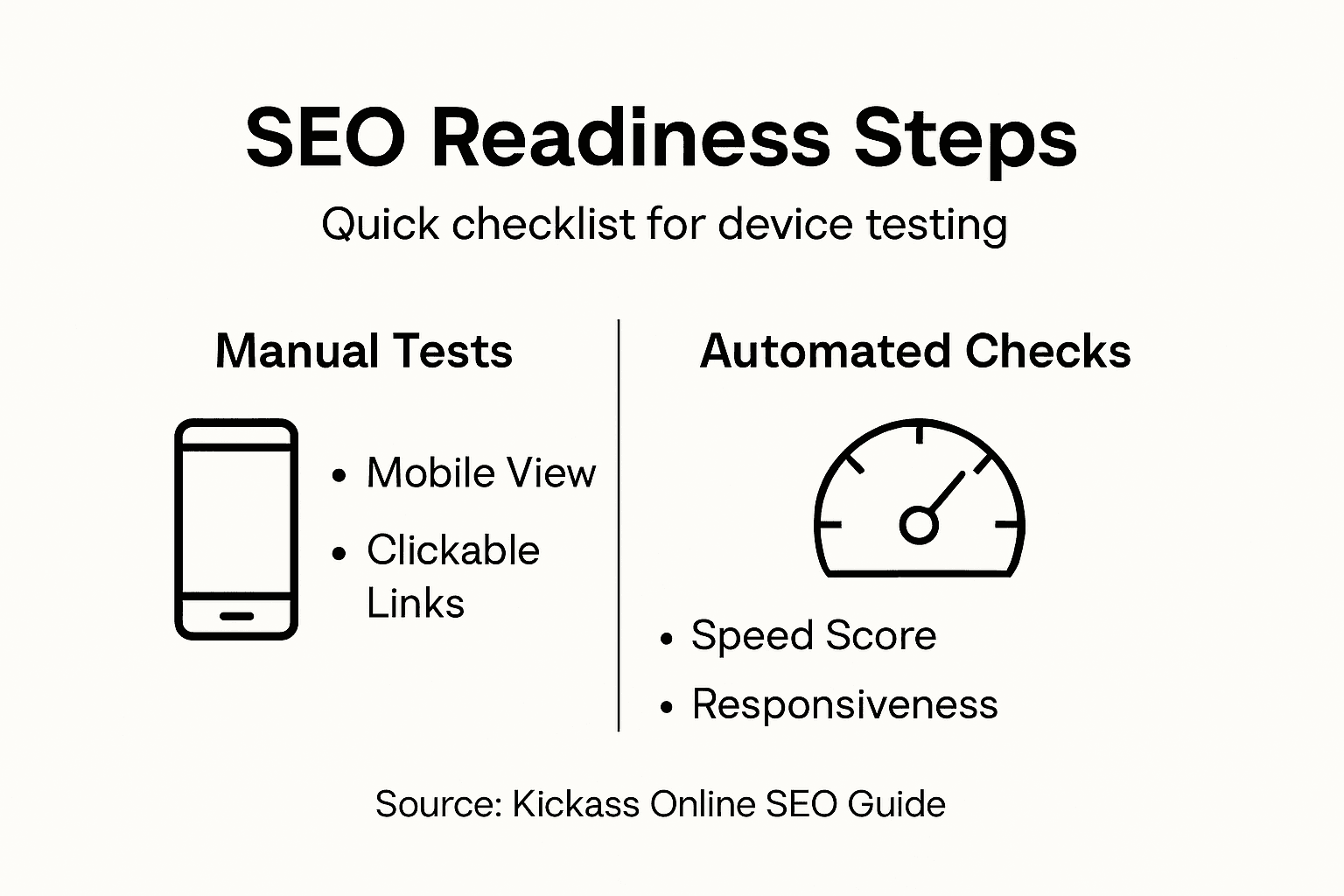
Document any issues you find and prioritise them by severity. A broken button on your contact page is urgent. A font that’s slightly too small on tablets is less urgent. Fix the critical issues immediately, then tackle the less important ones as part of your regular maintenance schedule. After you’ve made fixes, test again to confirm everything now works as expected. This cycle of testing, fixing, and retesting ensures that your content updates actually deliver the experience you intended.
Professional tip: Use your own mobile phone to test pages regularly as you work on them rather than waiting until you are finished, because you’ll catch problems immediately and develop a feel for what works well on small screens, saving yourself from making the same mistakes repeatedly.
Here’s a quick comparison of manual versus automated website testing approaches:
| Method | Key Advantage | Limitation | Best Use Case |
|---|---|---|---|
| Manual device testing | Real-world user experience | Time-consuming, subjective | Spot UI/UX issues on devices |
| Automated SEO checks | Fast identification of technical problems | Can miss user-centred bugs | Test meta tags, responsiveness |
| Analytics data | Reveals actual visitor device split | No direct interface feedback | Prioritise device testing focus |
Unlock Your Website’s True Potential with Expert SEO Content Updates
Updating website content to improve SEO is a detailed process that requires clarity, strategy, and ongoing optimisation. If identifying missing topics, fixing duplicated content, or refining keyword targeting feels overwhelming, you are not alone. Many businesses struggle with balancing search engine demands and truly engaging their audience. At Kickass Online, we understand the challenges of crafting content that attracts traffic and converts visitors into customers. Our team specialises in high-converting websites that align with your unique brand messaging, ensuring your online presence not only ranks well but also builds trust and drives real growth.
Ready to transform your website with proven SEO and web development strategies? Explore our Websites services to see how we create tailored digital solutions designed specifically for small and medium-sized businesses.

Don’t let poorly optimised content hold you back. Visit Kickass Online today to book your personalised consultation and start updating your website with confidence. For helpful insights and practical tips to complement your SEO journey, browse our Tutorials section and begin mastering web optimisation now.
Frequently Asked Questions
How can I assess my website’s current content needs?
Begin by analysing your website analytics to identify which pages are attracting traffic and which are not. Create a content inventory to list existing pages, their performance, and gaps in topics; aim to complete this assessment within a week for actionable insights.
What steps should I take to plan updates for better SEO results?
Prioritise pages that target valuable keywords but currently underperform. Create a document outlining the changes you plan to make, including specific keywords for each page, and set a timeline of 30 days to implement initial updates.
How do I optimise my website content for both readers and search engines?
Focus on crafting high-quality content that addresses your audience’s needs while naturally incorporating targeted keywords. Enhance elements like meta descriptions and headers to improve clarity and engagement; aim for updates that lead to a 15% traffic increase within a couple of months.
What should I test after making updates to my website?
Test the updated pages across various devices, including desktop and mobile, to ensure they are visually appealing and functional. Check for layout issues and page load speed, aiming for a load time under three seconds to improve user experience and SEO rankings.
How can I ensure my brand messaging is consistent throughout my website?
Review your content for a unified tone of voice and consistent value propositions across all pages. Adjust any disjointed messaging to reflect a cohesive brand identity; aim to complete this review within two weeks to strengthen your online presence.
Recommended


Book A Discovery Call
Stay Connected