
More than eighty percent of british consumers search online before visiting a local business. For both start-ups and established brands, getting noticed in Google results can make or break your visibility. With so many choices out there, setting up your Google My Business profile the right way can connect you to real customers at the moment they are searching. This guide walks you through each step to help your business stand out and earn trust locally.
Table of Contents
- Step 1: Set Up And Verify Your Google My Business Profile
- Step 2: Complete Essential Business Information Accurately
- Step 3: Add Photos And Enhance Visual Content
- Step 4: Request And Manage Customer Reviews Strategically
- Step 5: Monitor Insights And Adjust Your Listings
Quick Summary
| Key Message | Explanation |
|---|---|
| 1. Verify Your Google My Business Profile | Ensure you verify your profile within 30 days to maintain local search visibility and prevent deactivation. |
| 2. Enter Accurate Business Information | Provide precise and consistent business details across platforms to enhance credibility and improve local search rankings. |
| 3. Upload High-Quality Photos | Include 5 to 10 professional images that authentically showcase your business to engage potential customers effectively. |
| 4. Manage Customer Reviews Effectively | Create a systematic approach for requesting and responding to reviews, building trust through authentic feedback. |
| 5. Regularly Monitor Insights for Improvements | Analyse your Google My Business insights monthly to understand customer behaviour and proactively update your profile accordingly. |
Step 1: Set Up and Verify Your Google My Business Profile
Setting up and verifying your Google My Business profile unlocks powerful local visibility for your business online. This critical first step ensures potential customers can find accurate information about your services directly in Google search and maps results.
To begin, navigate to the Google My Business official platform and create your business profile by providing your company name, address, contact details, and primary business category. Be meticulous when entering information tracking precisely with your official business documentation. Local SEO strategies recommend using consistent business details across all online platforms to enhance search credibility.
Verification remains a crucial security step preventing unauthorized modifications. Google offers multiple verification methods including postal mail verification postcard, phone verification, or instant verification for eligible businesses with existing Google services. The postcard method remains the most common verification approach sending a unique verification code to your registered business address. Once received, enter the code online to confirm ownership and activate your complete business profile.
Pro tip: Verify your profile within 30 days of creation to prevent profile deactivation and maintain your local search presence. Accurate and comprehensive profile information significantly improves your chances of appearing in local search results and Google Maps recommendations.
Step 2: Complete Essential Business Information Accurately
Creating a comprehensive and precise Google My Business profile requires strategic attention to detail. Your goal is to provide potential customers with the most accurate representation of your business across digital platforms.
Start by entering your precise business name exactly as it appears on official documentation. Local SEO strategies recommend maintaining consistency across all online platforms to enhance search engine credibility. Include your complete physical address, ensuring it matches your registered business location. If you operate from multiple locations or a home based business, carefully select how you want your address displayed.
Select your primary business category with extreme precision. This classification determines how Google understands and recommends your business in local search results. Choose the most specific category that authentically represents your core services. Add secondary categories if they genuinely reflect additional business offerings. Include high quality photographs showcasing your business interior, exterior, products, and team members. Visual content significantly improves user engagement and provides potential customers with an immediate understanding of your business environment.
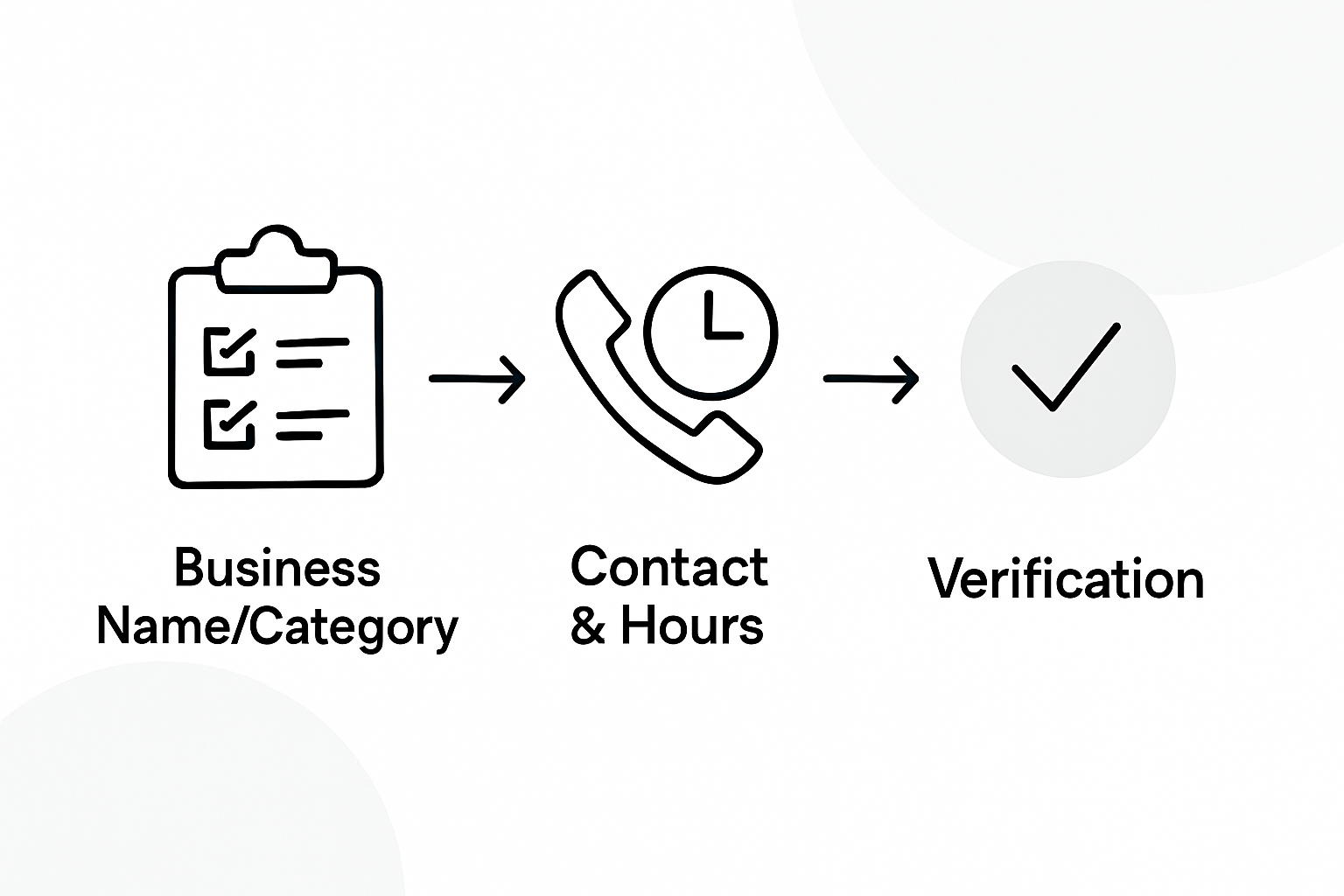
Pro tip: Update your business hours, contact information, and service details regularly. Outdated or incorrect information can frustrate potential customers and negatively impact your local search rankings.
Step 3: Add Photos and Enhance Visual Content
Photographs are a powerful tool for transforming your Google My Business profile from a basic listing to an engaging visual representation of your business. Content marketing strategies emphasise the critical role visual elements play in attracting potential customer attention.
Begin by uploading a diverse range of high resolution photographs that showcase your business authentically. Professional recommendations suggest including exterior shots of your business premises, interior workspace, team members in action, and representative product or service images. Geo-tagged photographs that highlight your specific location can significantly strengthen local search visibility, helping potential customers understand precisely what your business offers.

Aim to include at least five to ten professional quality images representing different aspects of your business. Ensure photographs are well lit, clearly focused, and demonstrate your brand personality. Avoid stock images or generic visuals that could apply to any business. Instead, capture genuine moments that reflect your unique business environment and professional approach. Each uploaded image should serve a specific purpose whether highlighting your workspace, showcasing your team, or demonstrating your products and services.
Pro tip: Regularly update your photographs to keep your profile looking current and dynamic. Stale or outdated images can make potential customers perceive your business as inactive or less professional.
Step 4: Request and Manage Customer Reviews Strategically
Customer reviews are the lifeblood of your online reputation, serving as powerful social proof that can significantly influence potential clients. Reputation marketing strategies emphasise the critical role authentic customer feedback plays in building trust and credibility.
Develop a systematic approach to requesting reviews by creating simple mechanisms for satisfied customers to share their experiences. This might involve sending follow up emails after service completion, generating short review links you can share directly, or training your team to politely request feedback at appropriate moments. When customers leave reviews, respond promptly and professionally to every single comment whether positive or negative. Your responses demonstrate that you value customer input and are committed to continuous improvement.
Encourage reviews that provide specific details about your local services by subtly guiding customers to mention your city or specific service area. This approach not only generates more meaningful feedback but also strengthens your local search visibility. Focus on generating authentic reviews that genuinely reflect your business performance rather than attempting to manipulate review metrics. Potential customers can quickly identify insincere or manufactured feedback.
Pro tip: Implement a review management workflow that ensures consistent and timely responses. Unaddressed reviews can damage your online reputation more effectively than negative feedback that receives a thoughtful professional response.
Step 5: Monitor Insights and Adjust Your Listings
Tracking and analysing your Google My Business performance is crucial for understanding how potential customers interact with your online profile. Digital marketing KPIs can help you interpret the data and make strategic improvements to your listing.
Regularly explore the Google My Business insights dashboard to understand key metrics such as search queries used to find your business, customer actions like website clicks or phone calls, and photo view statistics. These insights provide valuable information about customer behaviour and engagement patterns. Pay close attention to which search terms are driving traffic and which geographic areas are generating the most interest in your services.
Develop a proactive approach to updating your listing based on these insights. This might involve adjusting your service descriptions, adding more relevant keywords, or creating posts that address the most common customer queries. Keep your profile dynamic by regularly sharing updates, special offers, and recent business achievements. Consistent activity signals to Google that your business is active and relevant, which can positively impact your local search rankings.
Pro tip: Set a monthly calendar reminder to review your Google My Business insights and make necessary adjustments. Treat your online listing as a living document that requires ongoing attention and refinement.
Unlock Your Local Business Potential with Expert Help
If you are aiming to optimise your Google My Business profile for maximum results but find the process overwhelming or time-consuming the detailed strategies in this article can only take you so far. The challenge of maintaining accurate listings, managing customer reviews, and regularly updating visual content demands personalised attention and expert execution. Your goal to boost local search visibility and build trust with your customers requires consistent optimisation and strategic insight.
At Kickass Online, we understand these pain points and specialise in delivering tailored digital marketing solutions crafted specifically for small and medium-sized businesses. Explore practical and actionable guidance in our Tips and Tricks and deep dive into step-by-step methods with our Tutorials. Our dedicated team focuses on creating high-converting websites and optimising your online presence to elevate your Google My Business performance.
Take control of your local search success today.

Ready to transform your Google My Business listing into a powerful lead generation tool Partner with Kickass Online to get expert support and a digital strategy customised for your business. Visit us now at Kickass Online and book your consultation. The sooner you act the faster you can secure your place at the top of local search results.
Frequently Asked Questions
How can I effectively set up my Google My Business profile?
To effectively set up your Google My Business profile, visit the official platform and provide accurate details such as your business name, address, contact information, and primary category. Ensure consistency across all online platforms by matching these details with your official documentation.
What are the best practices for adding photos to my Google My Business profile?
Aim to upload a diverse range of high-resolution photographs that showcase your business authentically. Include at least five to ten images that represent various aspects of your business, ensuring they are well lit and clearly focused.
How do I encourage and manage customer reviews on my Google My Business listing?
Encourage customer reviews by creating simple mechanisms, like follow-up emails after service completion, to request feedback. Always respond promptly and professionally to all reviews, as this demonstrates that you value customer input and are dedicated to improvement.
What insights should I monitor to optimise my Google My Business listing?
Monitor key metrics such as search queries, customer actions, and photo view statistics via the Google My Business insights dashboard. Regularly analyse this data to adjust your service descriptions and create posts addressing common customer queries, aiming for enhancements every month.
How often should I update my Google My Business information?
You should update your Google My Business profile regularly, ideally every month, to ensure your information remains accurate and relevant. This can include business hours, contact details, service offerings, and any new photographs, helping to maintain or improve your local search rankings.
What should I do if my Google My Business profile is deactivated?
If your Google My Business profile is deactivated, verify your profile within 30 days of creation to prevent this issue. Re-enter your verification code as soon as possible and ensure all of your information is up to date to reactivate your listing.
Recommended
- Maximise Local SEO for SMEs: Strategies to Dominate Your Market and Drive Business Growth | Kickass Online
- Improving Online Visibility and Attracting Local Customers with Local SEO | Kickass Online
- Harnessing Local SEO Strategies to Boost SMEs’ Presence in Local Markets | Kickass Online
- Enhance Your SME’s Visibility and Sales with Local SEO | Blog